Blog Archives
Where It Stands: Apple HomePod
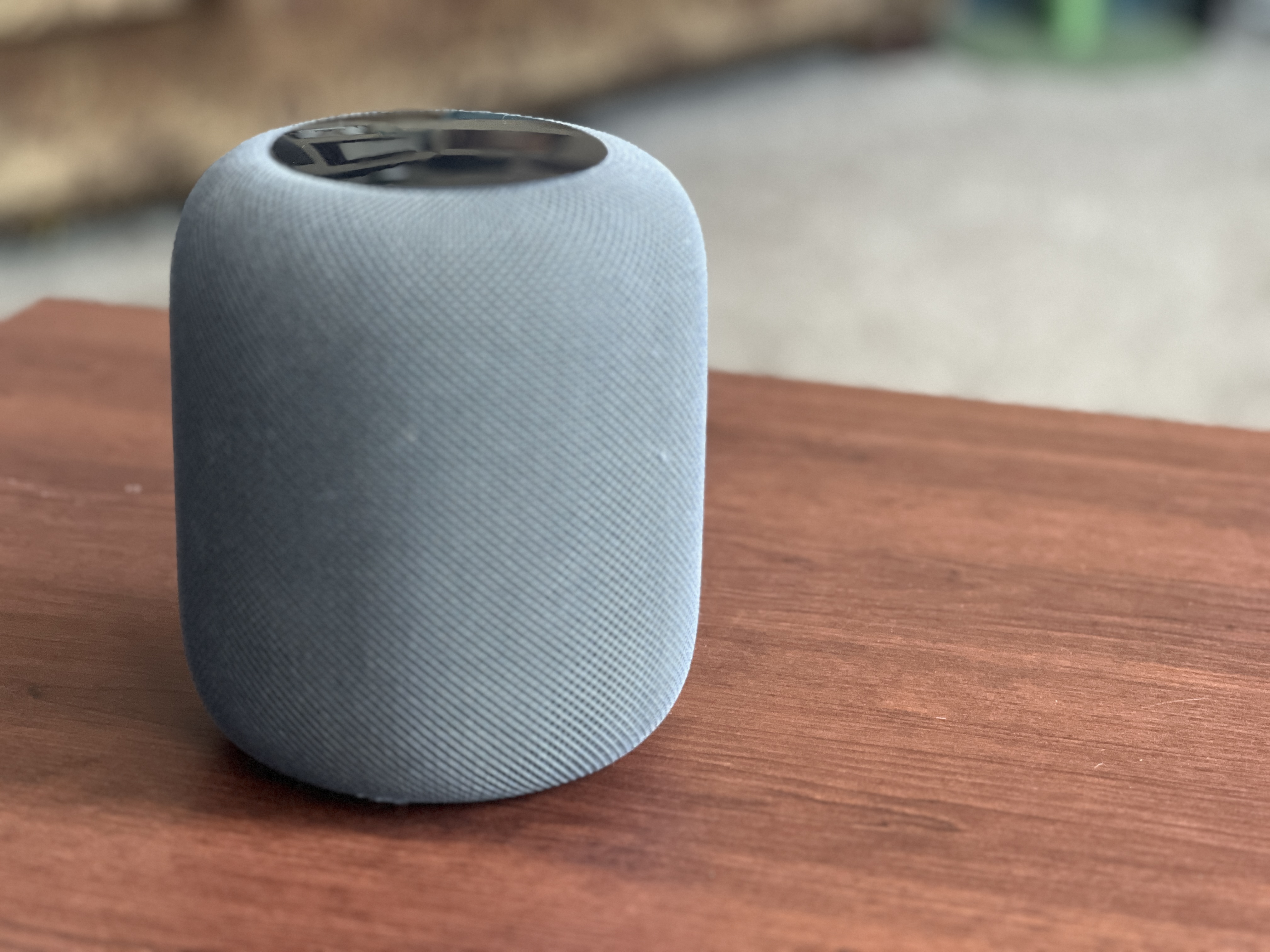
This is a review of the Original HomePod, released in 2018. That meant it was paired with the iPhone 6, to give you an idea of the time lapse here! The second generation was released in 2023, which means this first model had a 5 year life before the 2nd gen, which is pretty long for first generation technology. Let’s get into it.
Original Purchase Date: Spring 2018 (I did not review this product at time of purchase)
Time used between Purchase and Where it Stands: 6 years
I debated between the Sonos One and Apple HomePod at the time, and got to try them both. I went for Apple mostly because I thought it looked “cooler” and liked that it paired with my iPhone and Apple ecosystem. Sound-wise the two were the same to my non-audiophile ears. The speaker proved to be an amazing way to increase music playing in our house. Previously we’d been using a reciever and speakers with an iPod plugged into the Auxillary jack. With the HomePod, everything was just simple and the sound was amazing, and it stayed that way all these years.
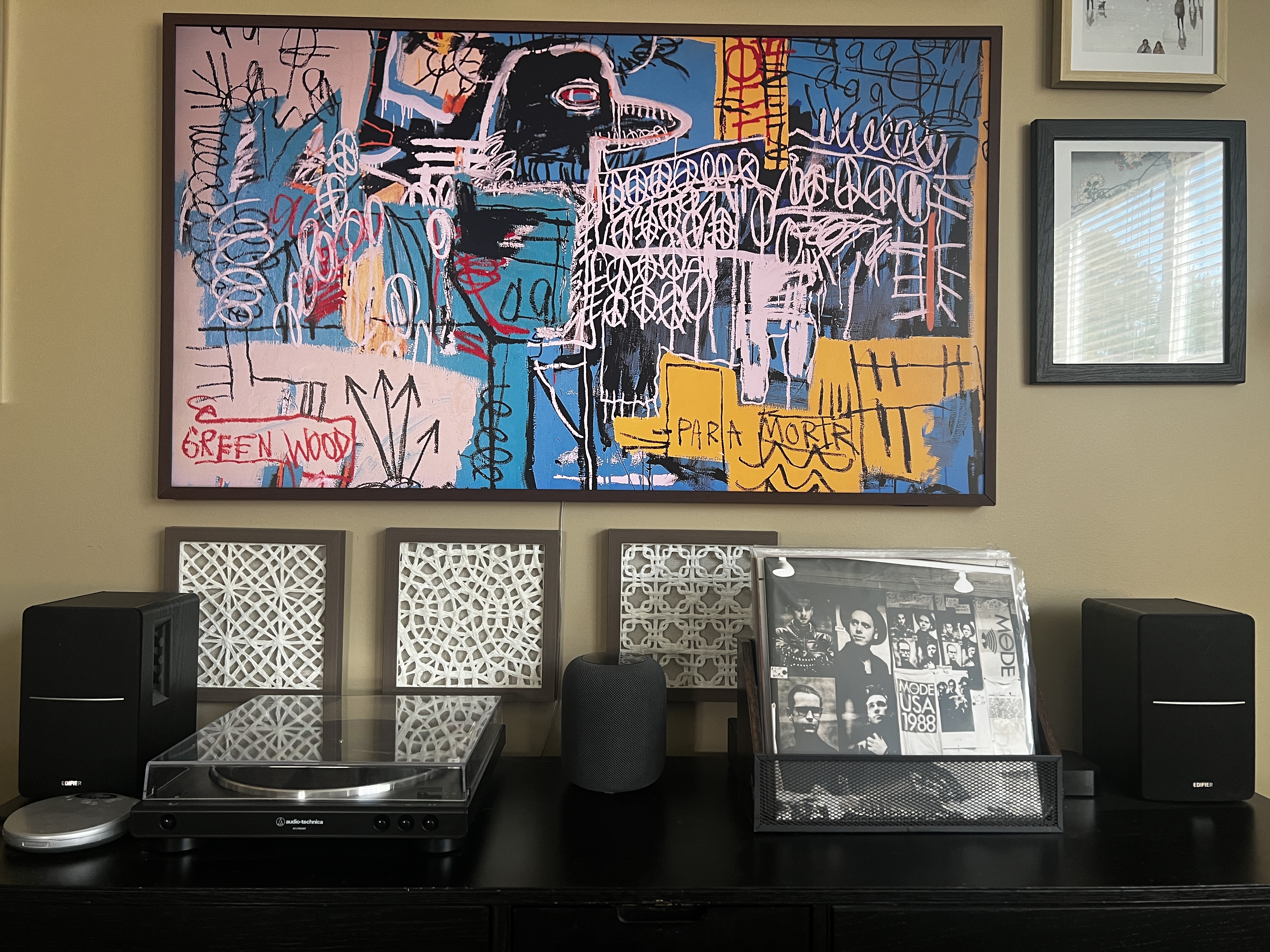
A couple years ago we upgrade to a Samsung Frame TV. While the TV itself is pretty awesome (hidden on the wall of other framed pieces of art), the sound SUCKS! And the interface is almost un-usable. I do not recommend the Frame TV unless you plan to upgrade how you will use it with a Roku/FireTV/Apple TV setup. We choose, un-suprisingly, to pair an Apple TV, but that didn’t solve the sound issue, until I learned you could pair the HomePod as a soundbar! It worked almost seamlessly, and we have used the HomePod as our soundbar for the past couple of years. I imagine that two HomePods in stereo mode would be even better, but these things still cost $300, so we’re sticking with the one until it dies.
No review of an Apple product would be complete without mentioning Siri, the voice assistant. Most reviews are quick to call out the tool as “very bad”. Our house is ruled by a combo of Amazon Alexa and Apple Siri. We use Alexa to control our lights and other smarthome items. And we use Siri for music. Both assistants can set timers and tell you the weather just fine (though the Homepod couldn’t set timers when it first launched). They also both decide to start talking out of the blue for no reason. The Siri voice assistant is sure to get better when Apple rolls out “Apple Intelligence” in the next version of their Operating System in the fall of 2024, but for now, the voice assistant on the HomePod is fine. It’s functional. And rarely that annoying. As long as you don’t set your expectations too high.
We’ve seen no issue with sound quality over the 6 years that we’ve used the HomePod and recommend it to anyone looking for a high quality smart speaker. It’s best with Apple products, but it is also easy to use Spotify, which happens often with us, as we have a teenager in the house. Definitely a good product after all these years!
ElevatoR(eview) Verdict:
Design: Cup Half Full
Ease of Use: Cup Half Full
Sound Quality: Cup Half Full
Cost: Cup Half Empty
Overall: Cup Half Full
Long-form reviews of the current Apple HomePod to consider, when you have more time:
Where it Stands: JBL Charge 3 Speaker

As we get the grease back on the wheels of this tech review site, it makes sense to start with some reviews of tech that has lasted throughout hiatus. Spoiler: there are pieces of technology that, if taken care of, will last years and even decades! One such device has proven to be the last thing I reviewed before the long break. So, after seven years, it’s time for to bring back a type of review that I call “Where It Stands”.
So many technology reviews are written in the whirlwind of a product’s release. Far too often, judgement is passed based on a brief encounter with the technology (be it a phone, tablet, streaming box, application, or any other tech that is targeted for the masses). If you google reviews for the product, the vast majority of the time you will find reviews that are old. Reviews that were written within a week of the release date (much like my First Impressions reviews). This Review Category is intended to re-visit something I reviewed early on, in order to see “where it stands” after 6-12 months (or perhaps even years!) of use. Often tech that looks bad initially improves through software updates. Sometimes tech that looks great at launch doesn’t hold up over time. So let’s get to it.

JBL Charge 3 Bluetooth Speaker
Original Review Date: June 29, 2017
Time used between Original Review and Where it Stands: 7 years, 38 days
Initial Impressions
Since it has been so many years since my first review, I had to go back and read it for myself. Thankfully it was an Elevator Review, which is designed to be a very fast read. I remember how I had hoped to pair this speaker with an early model of the Echo Dot to have a better sounding speaker in my house. The first generation of the Echo Speaker didn’t have the best sound. That experiment failed right out of the gate, but I continued to use the Charge 3 as a portable bluetooth speaker, and it hit the marks once my expectations were modified a bit.
The Tech in Action
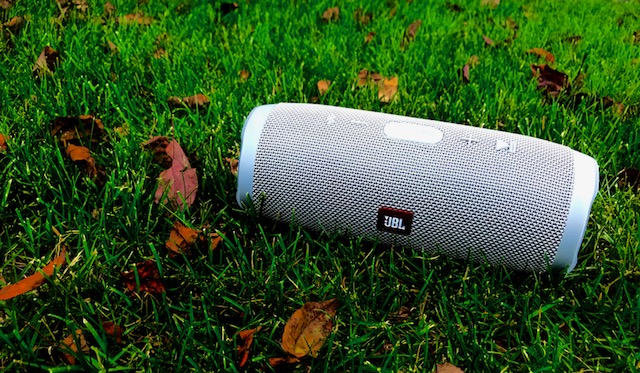
The Charge 3 (and I would assume it’s successors the Charge 4 and Charge 5) are exactly what they say they are: high quality bluetooth speakers. They pair quickly with smartphones. I use iPhones exclusively now, but I’m sure they work just fine with Android devices as well. You can swap between devices very easily, so that part is great. The range, which was one of my original requirements, has proven solid as well. I don’t have to set the phone next to the device to maintain a strong signal (and thus no sound drops). Recently I started using a Audio Technica Record Player (probably a review coming down the road) that has bluetooth functionality. The Charge 3, as old as it is, paired immediately with this newer piece of hardware and worked like a charm. The Charge 3 remains our default “patio speaker” when we are hanging out in the backyard too. I don’t use the device for voice calls, so I can’t comment as to how smoothly that works, but that is most likely a pretty niche market, and there are cheaper options to consider for a basic speakerphone (chief among them, just use your phone speaker…).
Where it Stands
Seven years later, I have had no reason to upgrade the Charge 3 Speaker. I did a quick browse of the later models. The Charge 4 is still available, and features an AUX IN option. This allows you to plug a 3.5 jack from a non-bluetooth device. That feature was removed in the current model, the Charge 5.
In the end, a bluetooth speaker needs to do two things: have good sound and be easy to use. I have always been satisfied with JBL products. I reviewed the Clip 2 years ago, and have since upgraded to the Clip 3. Unlike the Charge products the Clip Speaker did get better and justified the upgrade (though maybe not the current Clip 4). When friends come over and want to connect to the speaker, there is no friction. All you need to do is press the bluetooth button on the speaker and add it to your bluetooth devices on your phone, and that’s it. The JBL Flip 6 is also available at a lower price point, but the battery on the Charge models are just too much better for me (20 hours versus 12 hours). I will use the Charge 3 for months between charges with such a large battery, and I can still use it to charge smartphones on the go, which was an original perk as well.
This first “where it stands” hopefully proves the point that some technology doesn’t need to be updated as often as the company that makes them wants you to think. Don’t upgrade for a new color or slightly modified form factor. Upgrades should offer real improvements to the user experience, and after SEVEN YEARS, the Charge 3 continues to be as solid as the day I bought it 2017. So, even though you can’t get that model any longer, perhaps you might want to consider the Charge 4 or 5 that followed it.
For now, the JBL Charge 3 Bluetooth Speaker scores a CUP HALF FULL.

ElevatoR(eview): JBL Charge 3 Speaker

Tech reviews for the average consumer in under two minutes!
The JBL Charge 3 falls into the category of mid-tier consumer Bluetooth speakers. There are cheaper options for certain (JBL Clip 2 comes to mind) and there are much more expensive options (I’m looking at you Sonos and the upcoming Apple HomePOD). JBL makes quality speakers that focus on solid all-around sound without killing your pocketbook. This speaker is about 8 inches in height, and has great sound even at high  volumes. I chose this speaker because it is wide range Bluetooth (100 feet without walls), waterproof (you can dunk this sucker), and it works with the Amazon Echo series of speakers (I pair this one with a Echo DOT). The sounds quality between this speaker and it’s younger brother the JBL Flip 4 was basically the same, at least to my ear (I’m no audiophile though). I chose the Charge 3 mainly because of it’s larger battery (20 hours) and it’s ability to charge devices on the go (it has a built in USB to charge your phone/tablet).
The only downside I’ve found with this speaker is pairing. I was able to pair 2 different phones (as advertised), but not consistently. Perhaps it was a fluke, but something to consider. Also pairing to my Amazon Echo DOT has been challenging, as it keeps losing the connection. As a bluetooth speaker, this thing rules. As a “smartspeaker” jerry-rigged with a DOT, there’s work to be done to make that experience smooth.
ElevatoR(eview) Verdict:
Design: Cup Half Full
Ease of Use (Bluetooth Speaker): Cup Half Full
Ease of Use (with Echo DOT): Cup Half Empty
Sound Quality: Cup Half Full
Cost: Cup Half Full
Overall: Cup Half Full
Long-form reviews to consider, when you have more time:
First Impressions – Echo Smart Speaker (from Amazon)
Amazon is usually not shy about releasing new products. Just opening up the home page of amazon.com will usually point you right at whatever new thing the company is pushing to the market. It’s the holiday season so the Kindle Fire tablets are front and center, which is not a surprise. But there’s a new device that Amazon is releasing very quietly. It’s a Bluetooth speaker called the Echo, and it’s like nothing you’ve seen before.
Thanks to a generous co-worker I am getting to test out this new device over the holiday season. Currently the speaker is only available via invitation (which you can request here). And it’s only for Amazon Prime members at the moment too, at the cost of $100 (it will be $200 when it releases to the general public). Based on my first couple of weeks with the Echo, I’ve already got my invitation request in! So what is the Echo exactly?
It’s a Bluetooth Speaker
There are tons of Bl uetooth speakers on the market; everything from the cheap things you can get at Wal-Mart or Target, to the higher end (while still consumer focused) devices like the Jambox from Jawbone. You can always drop a ton of coin on the offerings from Bose, but that’s not what the majority of casual music listeners are looking for in a Bluetooth speaker. The Bluetooth speaker I’ve had for a while is the Jam Wireless Speaker (which you can pick up for $30). It’s a decent speaker but it has to be charged, and has limited bluetooth range. So I’ve been pretty sour on Bluetooth speakers in general. But the Echo is a powered speaker (meaning it’s plugged into the wall all the time). So no issues with power drain. So far the Bluetooth range to my phone has been good too. No dropped connections at this point. But Echo is so much more than just a Bluetooth speaker.
It’s a Digital Assistant
Think Siri. Think Google Now. If you’re a Windows user, think Cortana. These are all digital assistants. They come in all high-end smartphones, standard these days, and in plenty of tablet computers as well. They are tools that connect you to the Internet, for news updates, weather reports, calendar appointments, Wikipedia searches, that sort of thing. I have an iPhone and rarely use Siri, but I do use Google Now quite a bit. Especially for those “what sushi bars are nearby” kind of questions. The Echo speaker has a digital assistant built into it, and her name is “Alexa”.
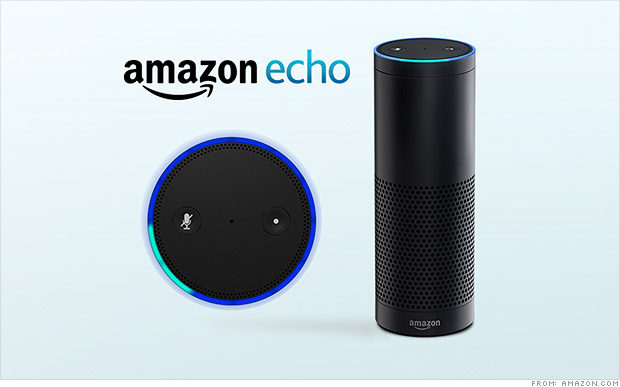
All you have to do is say the name “Alexa” and the speaker comes to life (via a spinning blue circle on the top) and begins listening for your questions. Simple things like “what time is it” and “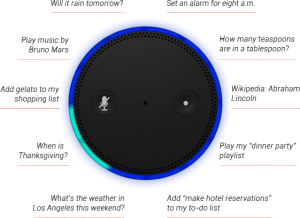 will it rain tomorrow” are child’s play for her. Using the WIFI element built into the speaker, Alexa can search Wikipedia with the best of them. Answering the question tech companies seems to always think we care the most about, you know it, “how tall is Mount Everest?” It’s really important that we all know this. And Alexa will make sure we stay informed. On that topic, you can ask “Alexa, give me my news update” and she will connect to either NPR or BBC radio to provide a quick news briefing just for you. There are some tailoring aspects that I haven’t had time to explore, but I’m excited to learn more!
With the Echo companion app installed on your smartphone or tablet, you can have Alexa save things to a “to do” list or a “shopping list”, just by saying “Alexa add milk to my shopping list”. That’s pretty handy. Now you don’t need to pick up a phone or tablet to have a digital assistant ready to take care of you. Alexa is still a bit of a beta device though, so she can’t answer everything, so be warned. “Alexa what movies are playing near me?” She hasn’t got a clue. But will gladly search BING for you.
One last note about music listening with the Echo. Prime members have access to “Prime Music” and that is the main resource Alexa uses when you ask for a genre or artist. Don’t be surprised that the selection is limited. Alexa can also search for any music you’ve purchased on amazon.com. The other two music resources, as of now, are “I Heart Radio” and “TuneIn Radio“. Both give you plenty of options for whatever genre of tunes you’re in the mood for.
It’s Always Listening
Here’s the coolest thing about the Echo speaker. There are microphones lining the top circle of the  device (where the pretty blue light shows up when active). And they are long-range mics, so even if you are across the room, the speaker can hear you and respond. “Alexa, play some Christmas music” and before you know it, chestnuts are roasting by that open fire! Do you want more volume, just say “Alexa volume up” or “Alexa volume 5”. Beware of going over Volume 7 though. I made the mistake of saying volume 10 to her (the highest setting) and the music was so loud the mics couldn’t hear me. Pretty funny scene though as I shouted for Alexa to turn the music down. Volume can be controlled via an included remote control too, but you won’t want to use it.
The Whole Cup Summed Up
 The Echo Smart speaker has a ton of potential. Tech writers are already speculating about what this new technology could mean for the future of home tech. Imagine coming home and saying “Alexa lights on and play some 80s hair bands” and it’s done (though darker lights might be a better choice if you’re planning to jam to Motley Crue). The possibilities go beyond lighting and sweet tunes though. Digital Assistants could control your thermostat (like the Nest does now), unlock your doors, open your garage, start your oven, or brew your morning coffee. We are only limited by our imagination! And Echo, along with Alexa is the first step into a pretty cool world.
To get an idea of what this device can do, check out Amazon’s official commercial here.
And for a slightly more “colorful” commercial, check out this parody.
 Have a Cup of T(ech)