Author Archives: BC
One Week with Meta Raybans: Audio and Camera Insights

Original Purchase Date: October 3, 2024 (used for one week as of this writing)
One week of use is not enough to determine if these glasses live up to the hype, but I have racked up a solid list of what I like about them, and where they can also be frustrating. The glasses are great headphones, first and foremost. Wearing headphones that I don’t have to think about (like putting in airpods) means I listen to more music, more podcasts, and even more audiobooks. I find myself listening to Instagram Reels with the sound on now, where before I just watched in silence.
The camera is also proving to live up to my expectations. Taking pics and videos without touching my phone is a BIG DEAL. Keeping me in the moment, while still capturing a snapshot in time. I’ve also experimented with 1st person video for my cocktail club, the Runaway Anchor, and that works nicely. On the “half empty” side of things, the transition lens is not as dark as I had hoped, leading me to still switch to old fashioned shades when it’s really bright, and the AI assistant has been spotty (though I haven’t used it that much…yet). At the moment I am very happy with my purchase, but only time will tell if these truly become part of my day-to-day life, or if they end up just being another piece of tech I use from time to time. And if they only end up being headphones, I’m not sure that’s a total win.
I own several pairs of very nice headphones (including Airpod Max) and I can confidently say that these glasses are my new favorite headphones. If kept at 50% volume, people around you cannot hear what you are listening to, and when you crank up the volume full blast, you can enjoy music and podcasts while mowing the lawn (tested last weekend). The quality of the sound is certainly not on par with the big “over-ear headphones”, but that’s not the point with the Meta Raybans. The point here is all about access. How easy is it to just hop in and out of your audio content. I no longer have to put Airpods in and out all the time, or look for where I put my Airpod Max headphones. With the Meta Raybans, I am always wearing my headphones, while at the same time, I’m kind of never wearing my headphones. It’s trippy, and unlike much of the technology changes over the past 5 years, it’s kind of life altering. I interact with audio on a different level now. I sneak little snippets of music and podcasts all the time, where before I would have to dedicate time for listening to audio sources. I also listen to audio in Instagram Reels and News stories because accessing the audio is just a tap away, and I never did that before these glasses.
The audio is turned on and off with a single tap on the right side. Sorry all you left-handers out there, this is a right-handed device for now (sigh). Two taps will advance the track for music and three taps will go back a track. Touch and slide forward to increase volume. Touch and slide backwards to decrease the volume. That’s it. Whatever audio source you are using on your phone will be controlled by tapping. Switching between things like podcasts, audible and music is a little clunky at the moment. Spotify support is supposed to get better, and you can have a default service when you ask for music (mine is Apple Music). But you can’t ask for an audiobook on Audible to start right now. That’s also an update that is said to be coming in the near future.
There is also a touch and hold audio feature that will start a designated music source (amazon music, apple music, spotify or calm). I have that set for Spotify, as I have better playlists there (curated by my kiddo). It’s a bit random at the moment, and I use the feature for my “I don’t know what I want to listen to right now” moments. So that’s it for the headphones part.

The camera is what got me to pull the trigger on this purchase. The idea that I could grab pics when I’m doing something fun without the usual “phone fumble” was exciting to me. Think about it. If you see something cool and want a pic, you do this: take out phone, wake it up, open camera app, point camera at thing you want picture of, push the capture button, turn off phone, put phone back in pocket. That’s a lot of steps. And the moment you capture is through a viewfinder (as in your phone screen)! With the Meta Raybans your eye is the camera, and the capture is just a single tap (or a voice command of “Hey Meta take a photo” if your hands are occupied or perhaps in the pic). I even managed to snap a pic of a book I was holding, by pushing shutter and quickly putting the object into the frame (see pic).
The camera is easy to use. Tap the button to take a picture (again, on the right side only!!) Hold the button to take a video (default is 1 minute, but can be increased to 3 minutes in the mobile app). I discovered quickly that if you are wearing a baseball cap the camera will see it, and you get a notification that the “camera is blocked”, but only after you are done shooting the video. So I ended up turning my hat backwards when I use the camera, which isn’t a great look, but it is functional. I don’t do a lot of “out in the world” videos, but I’ve shot a few to show different light impacts on filming (I’ll share those videos in the future, when I deep dive into the cameras). For now, I’m much more interested in the “point and shoot camera” but again, the hat brim will get in the way…
The quality of the video and images is great. Not as good as most current mobile phones, but still great for their intended purpose (quick snaps of what you’re doing, without the need to grab your phone). The audio capture is also great. I’ve made a couple cocktail videos that worked nicely, and I did a recording while singing and playing the piano that turned out nicely too (I will not be sharing that video though!) Time will tell how much I continue to use the camera. It’s worth noting that you can set up the mobile app so when you import images and video from the glasses they will copy into your phone’s photo library too. And if you delete the images in the Meta Mobile app, it will ask if you’d like the library copy deleted too. That is very handy and keeps down the image clutter!



Alright, that’s enough good stuff. What about the bad stuff, right?!? Much like the new iPhones, the AI elements of the Meta Raybans are pretty basic, but promise updates “soon”. The command is “Hey Meta” and then you can ask basic questions. Weather and Timers work great (just don’t use the British voice assistant or you’ll get Celcius for weather). You can “google things” with some success. I was able to ask for the hours at a local restaurant before heading out the door (some day maybe I can get on the wait list with a quick voice command…) But, all in all, the AI is more of a gimmick, than a feature I use often. But I truly haven’t kicked the tires to hard yet, and plan to do that in the weeks ahead. Stay tuned.

The one AI element that has been most interesting to me is “tell me what I see”. When you ask this you will get a detailed description of what is in front of you. Down to pretty detailed elements. Then you can ask it to write a poem about what you see. Here the pic and poem the glasses came up with when I looked at my home desk. When the features update to include actionable questions, that’s when this tool goes from gimmick to useful. But we are not there quite yet. I am hopeful.
I’m just a little over a week with these Meta Raybans smart glasses, and so far I’m really impressed. A friend of mine, who is a fellow Meta Raybans owner, responded this way when I said I was really enjoying the glasses so far. “I know you’d love them… they are so in line with your tech values”. That is really true. I do not like my smartphone. I do not like staring at screens. I think it’s better when we put our tech aside and just be in the world. But realistically, we are stuck the mobile internet on our person at all times. So any tech that keeps my hands empty and data easily accessible is definitely “in line with my tech values”. And so far, these glasses are doing it. Now I just have to see if my usage is sustainable, and not just the excitement of something new. I’ll be back with more posts in the future, as I examine daily use and dig into specific features in much more depth. Till Next Time…

Meta Raybans – Explorations in AI enabled Tech

“Wanna see something cool…” For a time, that was the phrase that defined me. Virtual Reality, Augmented Reality, Phone Apps, Smart Fitness Tech, I was always an early adopter, and I loved to show the new cool things to anyone who would listen. I loved to “shared the wealth” of how amazing consumer technology can be, and how it often makes life better.
But then things started to change. Technology became iterative (meaning: boring). Cameras got better. Screens got bigger. Phones went to wrists. Nothing was as mind-blowing as it was in my “wanna see something cool” days. And my day job landed me with all the new tech, but also an assignment to work with it in a business capacity. So, that took some of the wonder away as well, while still giving me a front row seat with new technology. Then along came AI, and I became known for something new. Skepticism. Pessimism. I became a naysayer who wanted nothing to do with it. I’m still a bit of that, if I’m being honest. But at the same time, I miss riding the bleeding edge of consumer technology. I miss the experimentation and the amazement when something does something NEW.
Enter the Meta Raybans. I was paying attention when the first gen “Raybans Stories” released years ago, and I had zero interest. They just didn’t do enough to justify the cost. The ecosystem needed development and battery life needed to be way better too. So I waited and watched. Then the second gen came out in 2023, and pushing AI to the front of the device (in a limited capacity) while improving the form factor, adding functionality, and make them attractive to consumers for, I would argue, the first time. Friends got them. I was intrigued, but deeply skeptical of the AI part, so I held off.
But that innovator spirit couldn’t be stopped, I guess. Because I just got my first pair of AI enabled smart glasses; the 2024 Limited Edition model. I’m ready to kick the tires. Try the features. See how it makes life better, or worse. And right here I will share those thoughts. Maybe feature by feature. Maybe just weekly summaries. I’m not sure yet. Just taking it one day at a time. One charged case at a time. But my first impressions are sparking that wonder, as I ask it “what am I looking at” and it tells me exactly what it sees. There are real “world improving” elements that might be a bit half baked now, but oh the potential is there. And I’m ready to become a card-carrying member of the guild of early adopters once again. Here we go!!
Where It Stands: Apple HomePod
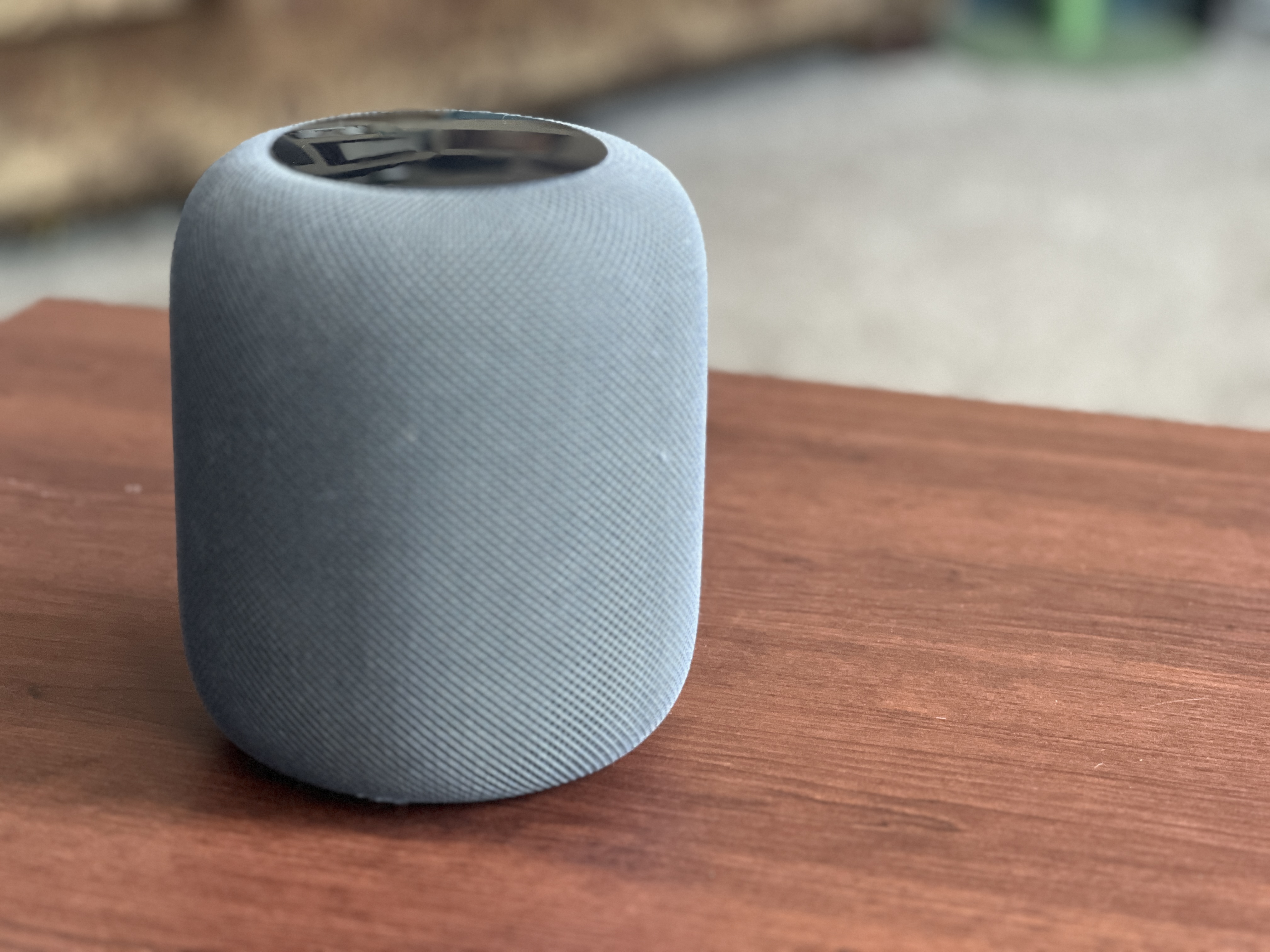
This is a review of the Original HomePod, released in 2018. That meant it was paired with the iPhone 6, to give you an idea of the time lapse here! The second generation was released in 2023, which means this first model had a 5 year life before the 2nd gen, which is pretty long for first generation technology. Let’s get into it.
Original Purchase Date: Spring 2018 (I did not review this product at time of purchase)
Time used between Purchase and Where it Stands: 6 years
I debated between the Sonos One and Apple HomePod at the time, and got to try them both. I went for Apple mostly because I thought it looked “cooler” and liked that it paired with my iPhone and Apple ecosystem. Sound-wise the two were the same to my non-audiophile ears. The speaker proved to be an amazing way to increase music playing in our house. Previously we’d been using a reciever and speakers with an iPod plugged into the Auxillary jack. With the HomePod, everything was just simple and the sound was amazing, and it stayed that way all these years.
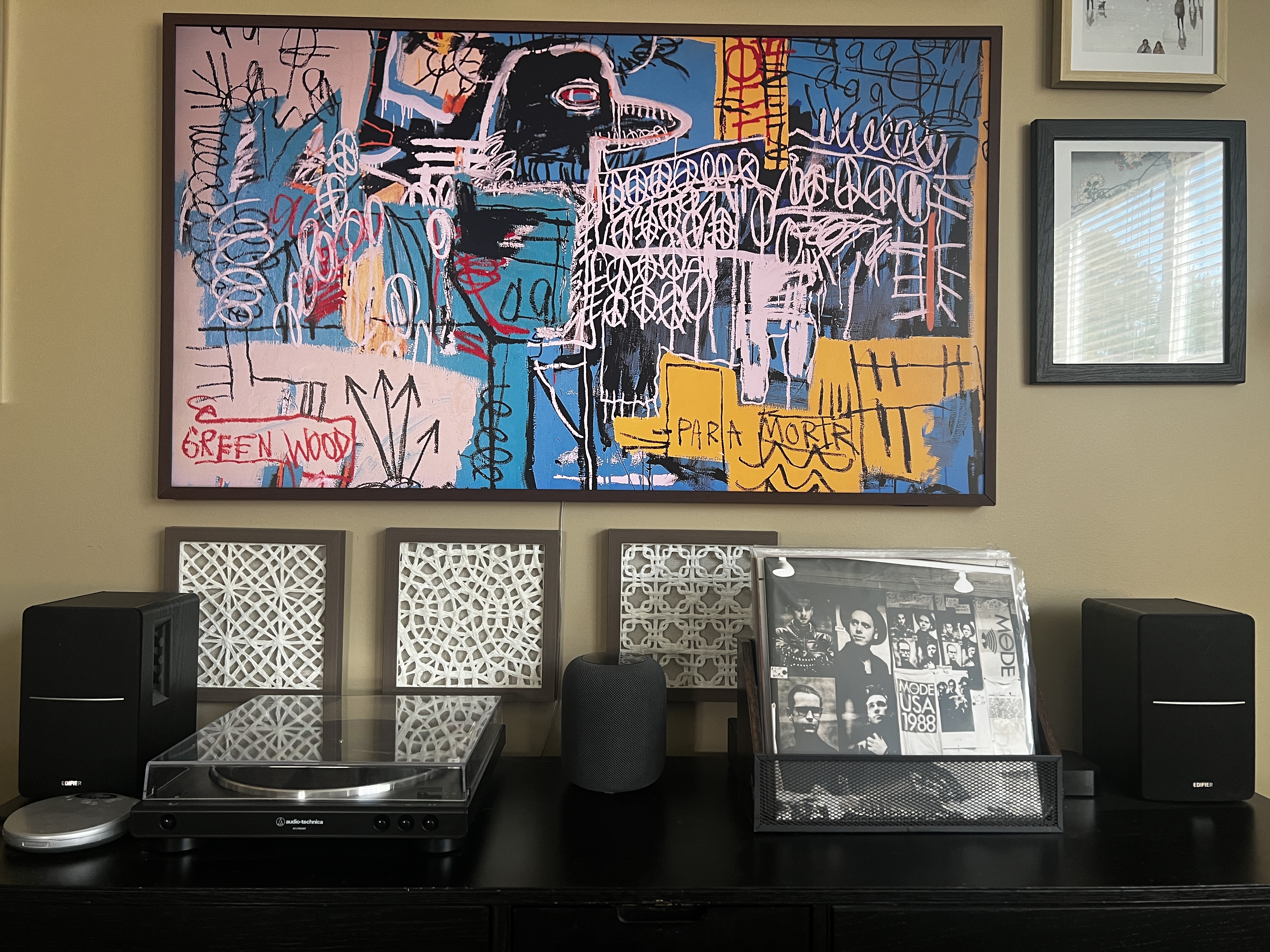
A couple years ago we upgrade to a Samsung Frame TV. While the TV itself is pretty awesome (hidden on the wall of other framed pieces of art), the sound SUCKS! And the interface is almost un-usable. I do not recommend the Frame TV unless you plan to upgrade how you will use it with a Roku/FireTV/Apple TV setup. We choose, un-suprisingly, to pair an Apple TV, but that didn’t solve the sound issue, until I learned you could pair the HomePod as a soundbar! It worked almost seamlessly, and we have used the HomePod as our soundbar for the past couple of years. I imagine that two HomePods in stereo mode would be even better, but these things still cost $300, so we’re sticking with the one until it dies.
No review of an Apple product would be complete without mentioning Siri, the voice assistant. Most reviews are quick to call out the tool as “very bad”. Our house is ruled by a combo of Amazon Alexa and Apple Siri. We use Alexa to control our lights and other smarthome items. And we use Siri for music. Both assistants can set timers and tell you the weather just fine (though the Homepod couldn’t set timers when it first launched). They also both decide to start talking out of the blue for no reason. The Siri voice assistant is sure to get better when Apple rolls out “Apple Intelligence” in the next version of their Operating System in the fall of 2024, but for now, the voice assistant on the HomePod is fine. It’s functional. And rarely that annoying. As long as you don’t set your expectations too high.
We’ve seen no issue with sound quality over the 6 years that we’ve used the HomePod and recommend it to anyone looking for a high quality smart speaker. It’s best with Apple products, but it is also easy to use Spotify, which happens often with us, as we have a teenager in the house. Definitely a good product after all these years!
ElevatoR(eview) Verdict:
Design: Cup Half Full
Ease of Use: Cup Half Full
Sound Quality: Cup Half Full
Cost: Cup Half Empty
Overall: Cup Half Full
Long-form reviews of the current Apple HomePod to consider, when you have more time:
Where it Stands: JBL Charge 3 Speaker
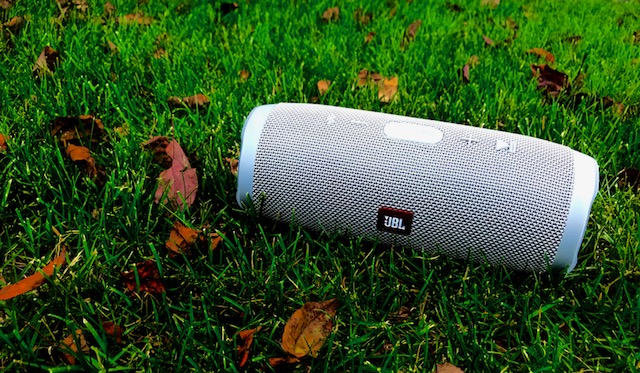

As we get the grease back on the wheels of this tech review site, it makes sense to start with some reviews of tech that has lasted throughout hiatus. Spoiler: there are pieces of technology that, if taken care of, will last years and even decades! One such device has proven to be the last thing I reviewed before the long break. So, after seven years, it’s time for to bring back a type of review that I call “Where It Stands”.
So many technology reviews are written in the whirlwind of a product’s release. Far too often, judgement is passed based on a brief encounter with the technology (be it a phone, tablet, streaming box, application, or any other tech that is targeted for the masses). If you google reviews for the product, the vast majority of the time you will find reviews that are old. Reviews that were written within a week of the release date (much like my First Impressions reviews). This Review Category is intended to re-visit something I reviewed early on, in order to see “where it stands” after 6-12 months (or perhaps even years!) of use. Often tech that looks bad initially improves through software updates. Sometimes tech that looks great at launch doesn’t hold up over time. So let’s get to it.

JBL Charge 3 Bluetooth Speaker
Original Review Date: June 29, 2017
Time used between Original Review and Where it Stands: 7 years, 38 days
Initial Impressions
Since it has been so many years since my first review, I had to go back and read it for myself. Thankfully it was an Elevator Review, which is designed to be a very fast read. I remember how I had hoped to pair this speaker with an early model of the Echo Dot to have a better sounding speaker in my house. The first generation of the Echo Speaker didn’t have the best sound. That experiment failed right out of the gate, but I continued to use the Charge 3 as a portable bluetooth speaker, and it hit the marks once my expectations were modified a bit.
The Tech in Action
The Charge 3 (and I would assume it’s successors the Charge 4 and Charge 5) are exactly what they say they are: high quality bluetooth speakers. They pair quickly with smartphones. I use iPhones exclusively now, but I’m sure they work just fine with Android devices as well. You can swap between devices very easily, so that part is great. The range, which was one of my original requirements, has proven solid as well. I don’t have to set the phone next to the device to maintain a strong signal (and thus no sound drops). Recently I started using a Audio Technica Record Player (probably a review coming down the road) that has bluetooth functionality. The Charge 3, as old as it is, paired immediately with this newer piece of hardware and worked like a charm. The Charge 3 remains our default “patio speaker” when we are hanging out in the backyard too. I don’t use the device for voice calls, so I can’t comment as to how smoothly that works, but that is most likely a pretty niche market, and there are cheaper options to consider for a basic speakerphone (chief among them, just use your phone speaker…).
Where it Stands
Seven years later, I have had no reason to upgrade the Charge 3 Speaker. I did a quick browse of the later models. The Charge 4 is still available, and features an AUX IN option. This allows you to plug a 3.5 jack from a non-bluetooth device. That feature was removed in the current model, the Charge 5.
In the end, a bluetooth speaker needs to do two things: have good sound and be easy to use. I have always been satisfied with JBL products. I reviewed the Clip 2 years ago, and have since upgraded to the Clip 3. Unlike the Charge products the Clip Speaker did get better and justified the upgrade (though maybe not the current Clip 4). When friends come over and want to connect to the speaker, there is no friction. All you need to do is press the bluetooth button on the speaker and add it to your bluetooth devices on your phone, and that’s it. The JBL Flip 6 is also available at a lower price point, but the battery on the Charge models are just too much better for me (20 hours versus 12 hours). I will use the Charge 3 for months between charges with such a large battery, and I can still use it to charge smartphones on the go, which was an original perk as well.
This first “where it stands” hopefully proves the point that some technology doesn’t need to be updated as often as the company that makes them wants you to think. Don’t upgrade for a new color or slightly modified form factor. Upgrades should offer real improvements to the user experience, and after SEVEN YEARS, the Charge 3 continues to be as solid as the day I bought it 2017. So, even though you can’t get that model any longer, perhaps you might want to consider the Charge 4 or 5 that followed it.
For now, the JBL Charge 3 Bluetooth Speaker scores a CUP HALF FULL.

We’re Back! With a new Purpose!!

I started this blog a decade ago in 2014. And I stopped daily posts 7 years ago with an “Elevator Review” of the JBL Charge 3 speaker (a speaker I continue to use to this day). Much has happened in the past 7 years, and my attitude around consumer technology has changed a lot. When I wrote on this site in the past, I was the ultimate fanboy. Grabbing every new piece of technology I could find, to see how it would enhance my life. I’ve grown skeptical lately.
Technology stopped being amazing several generations of the iPhone, Kindle, and Echo speaker ago. It’s all iterative now, and that is why many consumer electronics last for YEARS!
I am starting this blog up again with a new mission. I will continue to write the casual consumer reviews of the past (perhaps even a Haiku Review now and then), but I also want to focus on how technology is pushing us in ways that are not quite so positive, and suggest some things that might help. I have been in search of a less digital life for most of the time since I stopped regular posts on this site. So watch for posts that give suggestions for how to become a bit less plugged into the internet, and more plugged into the life that many of us miss, while we stare of our screens.
This site began with the idea that consumer technology is only “good” if it is making your life better. And like the frog in the frying pan, we’ve been tricked by the big tech companies into buying new technology every year with the promise the enhancements are making life better. I believe that is no longer the case, and I hope to use this site to keep showcasing consumer tech, but with a lens for balance, and hopefully I can help recapture what we all know we’ve lost to social media and the all powerful algorithm. I hope these thoughts are insightful, and they challenge you to look at your tech with a critical eye and re-discover the world that the internet has somehow blinded us all from seeing.
So let’s begin this journey again!
First Impressions: Quest 3

**This article was originally posted on Carrier Pigeon XR (the author is the same).
The Quest 3 has finally arrived! The latest virtual reality headset from Meta has some seriously high expectations, both as a “new generation” device, and for helping Meta compete in the area of Mixed Reality, just as Apple is set to ramp up interest in the space with the Vision Pro early in 2024. So let’s looks quickly at this new VR headset and answer some basic questions with my first impressions.
For those new to my style of reviews, these are not technical reviews, but more consumer reviews. I want anyone who is interested in virtual reality to know what this new headset is, and whether it’s worth dropping $500 to get (versus, you know, getting a PS5 or something). Here we go!
The previous headset, the Quest 2, lived a very long life for an emerging technology at THREE YEARS. For context the original Quest launched in 2019 and lasted one year before the Quest 2 replaced it in October 2020. So the market is now full of Quest 2 hardware, which Meta will continue to sell as an “entry level” device starting at $299. So what do you get for the extra $200? Many things it turns out. But we’ll keep this pretty high level.
New Form Factor – the Quest 3 is a significant change from Quest 2. There is a claimed 40% reduction in size. Simply put, this thing feels way more like ski googles than the Quest 2 ever did. While it weighs roughly the same as the previous generation, the Quest 3 doesn’t feel as heavy because the weight is closer to your head. The lens are changed out for “pancake” style, which means they are thinner, and also they are larger, so you will have an increased field of view when you are in VR. The controllers changed too, ditching the rings that often caused confusion for new users (but did give us a handy way to “hang up” the controllers when not in use. No more rings. The controllers are still tracked by the headset through, so no putting your arms behind your back (like you can with Quest Pro, which features self tracking controllers). So big change in the physical headset that is VERY noticable visually and also when you wear it.
Software Updates – the headset is run by a much faster computer chip, which means games launch faster, and the headset can support higher quality graphics. Many game makers are already upgrading the graphics of their content libraries (including my fav, Walkabout Minigolf). The user interface is the same as Quest 2, so there isn’t a whole new ecosystem to learn thankfully.
Color Passthrough – I’m giving this topic it’s own section because for many it will be a huge selling point. And for Meta to compete in the Mixed Reality space, this feature needs to hit with consumers. On Quest 2 the passthrough camera revealed a grainy grey world when enabled. The passthrough wasn’t even intended to be functional beyond setting your “guardian space” when the Quest 1 originally launched. But as more folks want to play Mixed Reality games, or build experiences that overlay the physical space with digital experiences, the passthrough became more important to the product development team. The Quest Pro features the first “full color passthrough” but it was still pretty grainy, and without a depth sensor it was still just taking flat videos of your space, and wasn’t great at mapping physical objects (which is crucial for mixed reality).

Notice these pics taken with Quest Pro (left) and Quest 3 (right). The first looks out my office window. The Quest Pro is a blown out light space and requires moving closer to the window to see building and objects. The Quest 3 is clear immediately. The second set of photos is my office desk. You’ll notice the Quest Pro (left) is more washed out and blurry, whereas the Quest 3 (right) has that pop of color. What you can’t see in the picture is that I can read the words on the world map on my desk with Quest 3, where with Quest Pro it’s all white blobs. So the passthrough upgrade is a true game changer for the Quest product line. I look forward to seeing what developers do with it. I’m already using it for Horizon Workrooms and Puzzling Places, and the upgrade is very noticeable.

One more demonstration of this new and improved Passthrough. The following were taken with the headset on my head, both the still image and the video. And it is pretty stunning.

If you have been enjoying the Quest 2 over the past three years and want to continue the experience of the best Mobile VR on the consumer market right now, then upgrading to Quest 3 is a good choice. I have been working in the VR space for almost 8 years, and I rarely experience the rush of the original days when I first strapped on the Gear VR and the HTC Vive, but I can honestly say that the Quest 3 blew my mind. Especially the Mixed Reality Demo that features aliens blasting through your walls and bouncing off your furniture, as you blast them with your ray guns. The experience reminded me of an old demo with the Magic Leap One, but since the passthrough is all video, the experience is seamless in both direct and peripheral vision (AR headsets are famous for their tiny field of view).
At the same time, the Quest 2 will continue to be a very good entry level headset. The vast majority of games will be backwards compatible, at least for a while. So if you aren’t in a rush to drop half a grand on a new headset, you aren’t being left behind. The move from Quest 1 to Quest 2 felt more like “to experience good VR you need to make the change”. The shift to Quest 3, while I’d say it is a more dramatic change this time around, it is at the same time a more tolerable shift, because the Quest 2 remains a very good VR headset, and will be a solid choice for a while into the future.
It’s worth noting that battery life continues to be an issue and there is some concern that by trying to keep things small while increasing the computing power we could see battery life drop. I will be paying attention to that as I use it. Also the stock headstrap, while I’d argue is modestly better than the Quest 2 stock strap, if you’re a regular user you will want to upgrade to an Elite style strap (and wait a month or so for the 3rd party companies, like Kiwi, to release solid solutions).
The Quest 3 is the VR headset the market has been waiting for these past 3 years. The Quest 2 served us well, and will serve as a solid workhorse for years to come, but the landscape of Virtual Reality is changing. The introduction of more Mixed Reality solutions and “Spatial Computing” concepts mean that Meta has to continue to push innovation or be left behind when companies like Apple make their play for the market.
The Quest 3 is an upgrade you feel every time you use it. It’s more like moving from PS3 to PS5, versus iPhone 13 to 15 (both jumps I’ve made myself recently). If you love VR this is a headset to get. Or you can hope you know someone who has one and ask them for a demo. I can pretty much guarantee you’ll have a blast.
More to come on the details as I use this headset over the next few weeks.
Cheers!

First Impressions – Apple HomePod
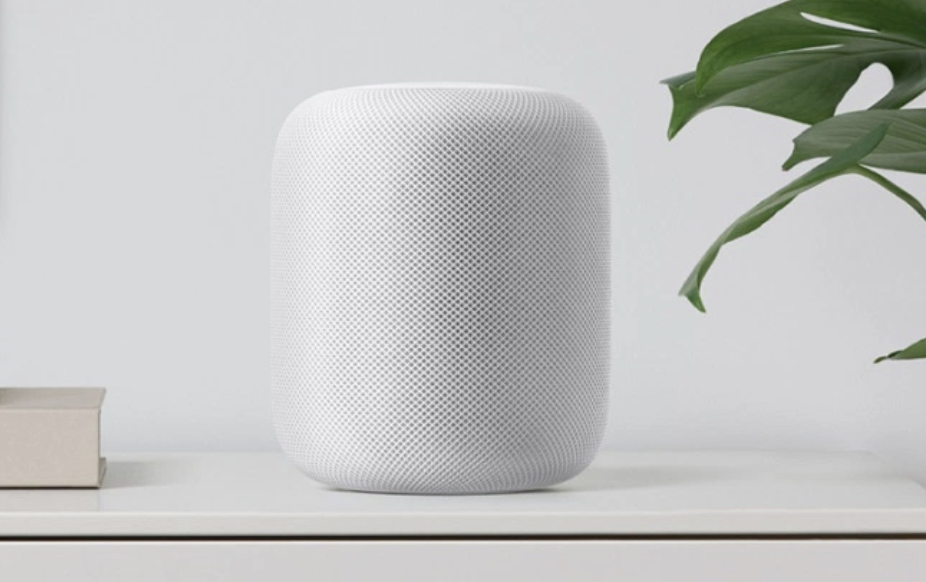 From the first reveal of the HomePod at the World Wide Developers Conference (WWDC) in the Summer of 2017 I was a skeptic. Every word spoken from the stage dripped with the sound of a snake oil salesman. Pushing the super over-the-top specs, and downplaying it’s massive weak spots (ahem…Siri). The price point made it more expensive than the entry level Sonos speaker, which was on the same level for sound quality. So I stated quite plainly, “not interested”. Well, last week I had the opportunity to spend 4 days with the HomePod in my house, which caused nuance to enter my black and white perspective of this speaker. These are my first impressions…
It’s a High-End Speaker
 When compared to any Amazon Echo, the HomePod blasts it out of the water. It just does. I’m no audiophile. I generally can’t tell much difference between a low-end speaker and a higher-end speaker. I’ve lived with the Echo in my house for over three years now, and I’ve been satisfied with the sound quality. I wondered if I’d even hear a difference between those and the HomePod. It only took one song to convince me that the Echo has pretty crappy sound WHEN COMPARED to the HomePod. So beware. If you compare, you will probably hear the difference too. Is that difference worth a price difference of $250??? That’s the question that haunts me, as I ponder a high-end speaker for my new house. But the jury is back, the skeptic is silenced. The HomePod has brilliant sound, good base, good sound distribution. Classical music is full and rich in a way the Echo has never been able to deliver. If that’s super important to you, the HomePod is a decent option. But before you drop the coin, read on.
It’s a Mediocre Assistant

I hate Siri. I really do. I have had iPhones for most of the last decade, and since she arrived on my phone I’ve tried to use her. I’ve done plenty of comparisons of her responses to questions compared to Amazon Alexa and Google Assistant (and even Cortana), and she is consistently crappy. I’ve read some interesting articles about the failed strategies of Apple, which treated Siri like part of the overall UI, versus an app within the UI requiring more frequent updates and fixes. So for all these years Siri has been the broken assistant. And on the HomePod she’s still pretty broken. For running Apple Music she is GREAT! She is way better at hearing me at loud volumes from across the room, unlike the Echo which requires me to yell commands if the volume is past 8. Siri can answer the basic questions, set one timer (and only one timer at a time), give you news, give you weather reports, and that kind of stuff. Apple could easily make Siri way better just with software updates, so you probably don’t need to worry about the need to re-purchases a HomePod to get a smarter assistant. But for now, the Assistant is a Music DJ first and foremost, and does everything on a mediocre level at best.
It’s a Puzzle
 I have struggled ever since I got my 4 days with the HomePod to figure out if it’s the right choice for my next speaker purchase. I have 7 Echo’s (1.0, 2.0, Spot, Dash, Tap, and 2 Dots) and I fully intend for Alexa to be my “home assistant”. Locking my doors, operating my lights, controlling my security system, and that sort of thing. But I have seen the “matrix” and cannot deny that the sound is sub-par. And I want the amazing sound of the HomePod (or similar speaker like Sonos). So does it make sense to have two assistants? One for home management and another just for music?
I am considering the Sonos One as well. A new model recently released contains the Alexa Assistant. A no-brainer, right? But here’s the trick. The Sonos One won’t integrate with my existing Echo system. It’s an island to itself. So I would still have two “networks” in the home, with the Sonos One taking the place of the HomePod as the music assistant. It’s also $150 cheaper than Apple’s speaker. I worry that the wake word could become a challenge with too many things listening for the Alexa command. Like the Sonos hearing “Alexa turn off the lights” and responding that it can’t do that currently, instead of the right speaker responding that could take action based on my command. Maybe it would just be easier to have Siri spinning the vinyl for me, within her walled disco club.
The Whole Cup Summed Up
As of this writing I am leaning towards the HomePod for my personal choice for high-end smart speaker. I am prioritizing the sound quality over the smart assistant with this choice. I have the advantage of having a slew of Amazon speakers to use throughout my house. If you’re in the game for a first smart speaker, I think the Echo is probably a better choice. But HomePod is still a good choice if you’re adding a “music speaker” to your smart home setup. This is a rare review where I can’t say “half full or half empty”, because it’s more complicated than that. So let’s take it in categories.
Form factor: Half Full
Smart Assistant: Half Empty
Sound Quality: Half Full
Price: Half Empty
This product truly exemplifies my love/hate relationship with Apple. I love how this speaker looks. It’s beautiful in a way the Sonos One and Amazon Echo are not. They prioritized sound and they hit it out of the park. But they de-prioritized the smart assistant, right when Alexa is being integrated into EVERYTHING and that seems like a mistake, and creates the first world problem I’m facing, as I debate between two expensive speakers. So set your priorities as you ponder this one, and choose wisely.
Here are a few other reviews to check out:
The Verge
BGR
ElevatoR(eview): JBL Charge 3 Speaker

Tech reviews for the average consumer in under two minutes!
The JBL Charge 3 falls into the category of mid-tier consumer Bluetooth speakers. There are cheaper options for certain (JBL Clip 2 comes to mind) and there are much more expensive options (I’m looking at you Sonos and the upcoming Apple HomePOD). JBL makes quality speakers that focus on solid all-around sound without killing your pocketbook. This speaker is about 8 inches in height, and has great sound even at high  volumes. I chose this speaker because it is wide range Bluetooth (100 feet without walls), waterproof (you can dunk this sucker), and it works with the Amazon Echo series of speakers (I pair this one with a Echo DOT). The sounds quality between this speaker and it’s younger brother the JBL Flip 4 was basically the same, at least to my ear (I’m no audiophile though). I chose the Charge 3 mainly because of it’s larger battery (20 hours) and it’s ability to charge devices on the go (it has a built in USB to charge your phone/tablet).
The only downside I’ve found with this speaker is pairing. I was able to pair 2 different phones (as advertised), but not consistently. Perhaps it was a fluke, but something to consider. Also pairing to my Amazon Echo DOT has been challenging, as it keeps losing the connection. As a bluetooth speaker, this thing rules. As a “smartspeaker” jerry-rigged with a DOT, there’s work to be done to make that experience smooth.
ElevatoR(eview) Verdict:
Design: Cup Half Full
Ease of Use (Bluetooth Speaker): Cup Half Full
Ease of Use (with Echo DOT): Cup Half Empty
Sound Quality: Cup Half Full
Cost: Cup Half Full
Overall: Cup Half Full
Long-form reviews to consider, when you have more time:
First Impressions – iPhone 7 and 7 Plus

There are plenty of long form reviews of the newest offering from Apple (see a few links below), so let’s keep this one short and sweet. Apple released a “new” version of their iPhone in September. They skipped the major form factor update this year because they plan a huge update next Fall, on the 10th anniversary of the release of the 1st iPhone. So the phone looks the same, and for the most part is the same. So for these First Impressions we’ll hit what’s new, and the ultimate question: should you update?
What’s New
 Cameras – the iPhone 7 gets Optical Image Stabalization, which assists with our shaky hands for pics. The PLUS model already had it and still does. The PLUS model gets a second back camera for a physical zoom feature and “portrait” mode, which blurs the background and focuses on the person in the foreground, which is pretty cool. Standard updates are there too, for things like “aperture” which no one really understands unless they are hobbyists, IMO.
 Home Button – the button doesn’t click anymore! It’s now “haptic” which means it has a little buzz feel that tricks your brain into thinking it clicks. The button also has a version of “3D touch” which was introduced on the screen with the 6S models. Basically a soft touch does one thing and a hard press does another. Takes some getting used to but it works. And it’s prepping us all for the removal of the button entirely in the next version.
Headphone Jack: It’s gone. You’ve heard. The phone comes with a dongle that works fine with my wired headphones. I await the sale of another dongle to give me two ports so I can listen and charge at the same time. The phone is mostly water-proof now as a result, which is a good thing in my books.
New Colors – Two new “blacks” were introduced. Goodbye to “Space Grey” and Hello to “Jet Black” and “Matte Black”. I elected for Matte Black, having heard that Jet Black, while very pretty, will scratch like the dickens. Who told us this you ask?? Apple!! Not a good sign.
Should you upgrade?
If you have a 6S you should not! There is absolutely no reason to upgrade if you have last year’s model. The improved camera and home button are not worth the upgrade. And by staying put you are perfectly positioned for the big update next year. If you have an iPhone 6 you’ll want to think long and hard about this one. If you are doing 2 year cycles, upgrading this year will put you on the outs next Fall. The tried and true approach of 2 year upgrades to new form factors with iPhone has certainly gone off the rails this year. So if you like getting the newest looking phone (versus the “S” year updates), then keep that 6 another year. If you have the battery issues with the iPhone 6 that have been reported, you might find sticking it out 365 more days a challenge.
The Whole Cup Summed Up:
Design: Cup Half Full (unlike many, I think the 6 series is great)
New Features: Half Empty (this is a “S” year masquerading as a major update year)
Upgrade Now?: Half Empty (if you can, stick with what you’ve got one more year)
Overall: Half Empty (I only have this device because I need it for my job. For my personal device, I’d wait for the big change Fall of 2017)

Long-form reviews to consider, when you have more time:
ElevatoR(eview): JBL Clip 2

JBL Clip 2 ElevatoR(eview)
There are lots of cheap bluetooth speakers on the market, so finding a decent one is challenging. This speaker is from a reputable device maker (JBL). The speaker is completely waterproof (I dunked it without issue). Pairing is simple (you can even “daisy-chain” two speakers together for stereo sound). The speaker comes with a 3.5mm cable hard-wired into the bottom (and stored by wrapping around the side), so you can pug your phone in directly (saving battery life on your phone). There is an integrated microphone so you can use it for phone calls as well. Battery life is good (8 hours of playback). The clip is incredibly handy. And the price is affordable without being “cheap” ($50-$60).
I looked at several other models, and the audio quality certainly didn’t stand up to it’s more expensive cousins, but it was good enough for using in the garage or the shower. This is a nice choice for your consideration.
ElevatoR(eview) Verdict:
Design: Cup Half Full
Ease of Use: Cup Half Full
Sound Quality: Cup Half Empty
Cost: Cup Half Full
Overall: Cup Half Full
Long-form reviews to consider, when you have more time:
 Have a Cup of T(ech)