Category Archives: Tech News
First Impressions: Gear VR – Consumer Edition
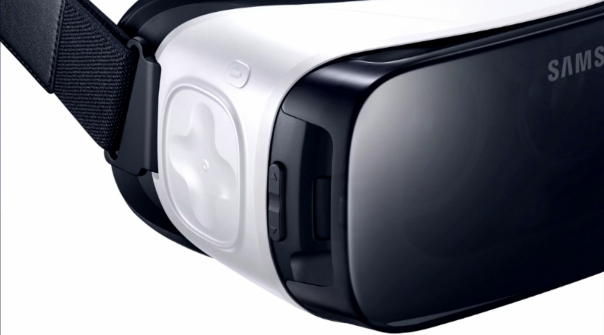
In the spirit of my New Year’s Resolution to keep these posts “shorter”, I’m going to begin with a fast “first impressions” of the new Consumer Gear VR. I owned the “Innovator Edition” Gear VR briefly last Summer. This model was intended for developers and tech geeks like me. It was heavy, it was buggy, and the damn thing overheated so fast, it made it worthless for me. So I sent it back, and waiting patiently to see if they could resolve the issues with the “Consumer Edition”. Just before Thanksgiving I got my chance to find out.
The Hardware
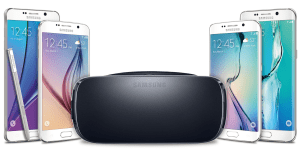 Improvements abound! The new Gear VR is lighter on the head, has improved straps both on the side and over the top of the head (which is optional). The track pad now has indentation to assist in use (whereas before it was basically a tiny mouse pad on the side). The Consumer Edition also fits every current Samsung Galaxy smartphone (Galaxy S6, Galaxy S6 Edge, Galaxy Note5, and Galaxy Edge +). You simply toggle a switch to fit the larger phones. While the issues of le
 ns fogging and overheating are not gone entirely, there is significant improvement (though I still run a fan in my face when doing long sessions to eliminate fogging and heat issues entirely).
The model continues to have the focus dial in the middle, which works nicely, and the plug to charge the phone while in use (though I haven’t had time to test this much). You an even wear glasses inside the headset! The device feels like a consumer product now, as it should.
The Cup Half Full
 The best new thing to come to the Gear VR, in my opinion, is the inclusion of Netflix. Not only can you watch Netflix in the VR, but the software places you in a mountain chalet, sitting on a red couch in front of a massive TV screen. Look to your left and you can see the lights of the distant ski slopes. Super cool.
The other things I’m loving about the new Gear VR are increased 360 photo library in the “Oculus 360 Photos” feature. Thousands of photos from around the world are provided. I missed getting to the top of Rockefeller Center when I was in New York recently, but with 360 photos I got to see the views, both during the day and at night. The Oculus Videos feature is also vastly enhanced with videos from Vimeo and even video rentals (though $24 is kinda steep for “The Martian in 3D” – that’s a purchase not a rental).
More games and experiences are being added at a fast pace, and I’ve even dropped some coin for a few games that have quickly become show pieces when I have people check out the VR. Be sure to check out Eve: Gunjack and Smash Hit!
The Cup Half Empty
 Fogging and overheating issues do remain. That continues to be my main issue with the Gear VR. I’ve been told there are some scuba diving mask tricks to eliminate fogging in the lenses, I just haven’t tried that yet. A fan will fix the heat issue, but that kinda kills the “mobile” element. Now you’re strapped to the fan just like an Oculus Rift is strapped to a super-computer. Until I can watch a two hour movie on a plane without fogging and overheating, there’s work to do. But considering the processing power required to create these immersive 3D environments with a killer refresh rate, such heat is understandable. But I still get to complain! If you have issues with dizziness, you might want to test these out at your local electronic store before you pony up the dough. I find that I can stare at Netflix for hours, but if I play an immersive 3D game, I last about 20 minutes before I get sick to my stomach. It’s still super cool, but only in small doses.
Gizmag has a great article about improving the user experience. It was written for the Gear VR for Note 4, but all of the tips apply to the Consumer Gear VR as well.
I guess we should also add that only the four Samsung phones work with it. So if you are an iPhone user, you’re out of luck for now. Though you could always check out Google Cardboard if you want to check out a little Virtual Reality.
The Whole Cup Summed Up
 I saved the best for last. Price. I paid $200 for my lackluster Innovator Edition Gear VR last JULY. Now one of these headsets will only set you back $99. That’s a great price, considering the amount of tech you’re getting. There are so many things to check out, and currently a lot of content is still free. If you have a current high end Samsung smartphone (see my list above) and a spare hundred bucks, I’d say this is a no-brainer. And if you do get the Gear VR, make sure you don’t keep it all to yourself. I’ve placed my headset on roughly 50 people so far, and I have to say I almost get more enjoyment watching people experience it than
 actually doing it myself. There’s a moment where everyone looks around and starts smiling like an idiot. My friend recently strapped on the Gear VR after I told her about the “idiot smile” thing. She was skeptical. The tech would have to prove itself. Less then two minutes into the Jurassic World dinosaur experience, she broke into a huge grin, and she says to me “I’m doing it aren’t I? The idiot smile thing.” Yes, yes she was. So get on board, and you’ll soon be smiling too.
Here are a few additional reviews to consider:
The Verge – A Close-Up Look at Samsung’s new $99 Gear VR
GizMag – Gear VR Early Impressions
YouTube – To see the tech in action
The Tech of NYC – The Apps
 The holiday season caught me up in a wave, and time went along with it. So a month after I spent a packed weekend in New York City, I am finally getting around to a quick review of the apps that I used to have a successful weekend in the Big Apple. I’ll say right away that my app plan didn’t go as expected, but everything worked out perfectly in the end. Some old apps showed new power, and some new apps proved duds. So first off here are the apps that I pre-loaded for the trip.
The Apps that I planned to use
I love app folders. I have hundreds, yes HUNDREDS, of apps on my iPhone, and folders keep me from going absolutely bonkers. Though if you find yourself searching for an app, here’s a TECH TIP. Just swipe down from the CENTER of the screen, and you’ll find a search bar at the top. Type the app name and you’re on your way! Ok, back to the apps.
 I created a “New York City” folder to hold all of the “amazing” apps I planned to use. Here’s the breakdown.
Top of the Rock
Rockefeller Center
New York eTips
NYC Tourist
NYC Essential Guide
NYC Subway
Central Park eTips
911 Memorial
 My choices of applications were based in what I “planned” to do. I wanted to go to the top of Rockefeller Center (mainly because it was cheaper than the Empire State Building and closer to my hotel). So I got a couple Rockefeller apps. I planned to ride the subway at least a couple of stops, so there’s the NYC Subway app. Central Park was on my Agenda and “eTips” had a nice app highlighting a few bits. Finally, every tourist needs some tourism apps that are all encompassing. I grabbed 3 of them (New York eTips, NYC Tourist, and NYC Essential Guide). I ended up missing the Top of the Rock so those apps went unused. But I missed that trip because our team went down to the financial district to visit the 9/11 Memorial, and that’s where I ended up with my last app on the list, the 911 Memorial App, which proved to be one of the most interesting and powerful apps in the bundle. So how did I use these apps? Spoiler, my primary app wasn’t even on the original list.
The Apps that didn’t make the Cut
I browsed my tourism apps on the plane ride to JFK. I quickly discovered that the eTips guides for NYC and Central Park had only limited content before you had to pony up some dough. For a three day trip, I planned on spending my money on souvenirs not apps. So there went both eTips guides. NYC Tourist offers a nice map showing lots of locations, but it is incredibly busy. I did keep the app the first day, and used it a couple times (found the closed Carnegie Deli with it). But ultimately it went on the scrap pile too. That left me with just a handful of apps that really made the weekend work.
The Apps I Actually Used
My primary tourism app was “NYC Essential Guide”. This app does suffer from the “only a few things are free” issue that plagued all of my tourism apps, but one feature made this app worth it. It’s called “Top 25” which highlights 25 points of interest, including brief overviews, maps, reviews, and contact information. I can see a lot of potential in the “premium features” but I wasn’t spending nearly enough time to make that worth it. Maybe next time! The trip to the 911 Memorial was on the subway’s Red Line. I used my “NYC Subway” app to keep track of the stops and to know when to dash out the doors. TIP: if standing, lean against the train’s forward motion, or you’ll end up on your butt; it’s  fast!” The final app I ended up with (aside from my final surprise) was the 911 Memorial app. I highly recommend a visit to this memorial. And plan to take the audio tour and keep your camera in your pocket. This is a somber experience, a sobering experience, and one not to be missed. Everyone I went with got the audio tour kit (with a tape player of sorts and headphones). I opted for the earbuds only, and added the audio tour via the free 911 app. The lady at the audio tour counter didn’t even charge me the $5 for the earbuds. We went into the memorial as a group of 10, but we came out slowly one by one, as we each were immersed in the experience of the memorial. If you can, go.
The old app worth its weight in gold!
 Two words. Google Maps. We all know this app. We all have used it from time to time. If it’s to find a local restaurant, get turn-by-turn navigation, or simply check out cities around the globe down to street view; this is an app I always took for granted. But when I hit the pavement Sunday afternoon to begin my ambitious 10 mile hike around Midtown and Central Park, Google Maps was my guide. I spent some time before I left the hotel figuring out how many minutes it would take to get from location to location, to ensure I would make it back to catch my ride to the airport. I loaded my itinerary into my Evernote App, and I never touched the phone again (except to take pictures). My plan, built with Google Maps, went off without a hitch. I could totally see this being my go-to app when I’m in a new city (I get to test my theory in San Francisco in two days). An old favorite showing it still reigns as the king of maps!
The Whole Cup Summed Up
Apps are only as good as how seamless they work with your planned agenda. They are only good if they enhance your experience. If you are fighting the app, it’s not worth the time. I used some duds, and found some gems during my weekend in New York City. So the next time you head out on the road, be sure to find some apps, and build a folder to keep them straight. You’ll use some often, and quickly deleting others, and that’s okay. Just don’t forget, when in doubt, turn to Google Maps!
Happy Traveling


The Tech of NYC

Two Lumps of Tech is once again on the road (or in the air rather). Since I’m being sent to New York City to work at a conference, I figure it’s another great chance to see how tech tools can enhance travel. Hopefully enhancement is what I experience!
I have three days in NYC. Much of the time I will be providing app support for my company, but I plan to get out a bit. As my hotel is located just a block off of Times Square, and I don’t have much interest in dealing with cabs or the subway on this trip, I’ll be sticking to the “theater district” with a possible trip up 7th Avenue to see Carnegie Hall and Central Park. As this is my first trip to the Big Apple, I have absolutely no idea where anything is located, and so we have APPS!!!
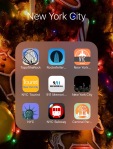 For this first post, I’ll just quickly highlight a few apps I have downloaded and ready to go for the trip. Future “Tech of NYC” posts will focus on these apps more, and determine which ones might be helpful to others should they happen to find themselves in New York City.
I always have one “must do” on my list when I travel for work. This time it’s visit the “Top of the Rock” which is the name for the observation deck of Rockefeller Center. With it only being two weeks till Christmas, as trip to NYC has to include a visit to the massive Christmas tree at the Rock. Luckily “there’s an app for that”. I quickly found an app called “Top of the Rock” which covers everything you need to know before hitting the elevators (including the hours those elevators run). There is a feature I’m excited to try that turns your phone into a viewfinder. Theoretically you point your camera at a building and the screen gives information about it. We’ll see how well that works Saturday!
 I have two other apps loaded to help navigate the city. “NYC Tourist” is a pretty generic map app, highlighting points of interest. Of course how long those city blocks will end up feeling like is still to be determined. The other app is called “NYC Essential Guide”. I’m pretty impressed with this app so far. Simple navigation shows things like attractions, transportation, restaurants, and entertainment (and sports for those who like that sort of thing). I quickly discovered the exact location of the Carnegie Deli, and discovered it is on my way to Carnegie Hall (not a surprise of course). I think this will be my go to app when I’m hoofing it around town.
I have lots of places I hope to visit during my off hours this weekend, and hopefully these apps will make things easier. Only time will tell. I hear there’s nothing like New York City during the Holidays. Stay tuned for more!
Upgrade Time!! Two Lumps of Smartphone Advice

We are officially in upgrade season! I am well aware of the daunting task of sorting through all of the different options for smartphones. There are just so many players in the game it can get overwhelming quickly.
What follows is a simple breakdown of my TOP FIVE favorites phones. I’m including a few links to other reviews for each phone, to give you a well-rounded opinion of each device. To keep things simple here, I’m focusing on a few key features of each phone, which I’ve found to be important to the majority of consumers, from the tech-savvy to the casual user. So here we go!
Disclaimer #1: This list is not in order of preference. I’m not awarding medals here, just giving a shorter list than you’ll find with the carriers.
Disclaimer #2: I’m sticking strictly with the high-end smartphones. If you are upgrading, you can usually get a good deal regarding up-front cost, and the monthly cost will be consistent to what you’re used to. As a general rule, upgrading at least every two years is the best way to make sure you have a smooth experience with your phone. Things just change too quickly! If you want to stick with a Mid-Tier phone, definitely try to get your hands on the MOTO G, which is an amazing phone for $180!
On with the list:
Moto X (2nd or 3rd generation)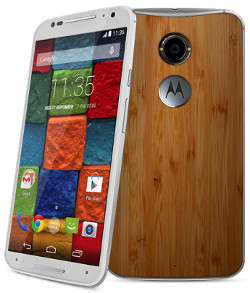
Motorola has been making great phones for the past three years, with the “Moto X” line. These phones are defined by high
quality build, simple operating system, and small physical size (when compared to the actual screen size). The 3rd Gen Moto X was just announced in August. This phone is HUGE. 5.7 inches makes it a “phablet” and those who want the smaller handset should steer clear. The 2nd generation is still a very good phone, and smaller, so you’ve got options. The 3rd Gen Moto X did vastly improve the camera though, so if that’s important, bear it in mind (though it still is not as good as Samsung and iPhone).
Moto X (3rd Gen) Review – Mobile Tech
Moto X (2nd Gen) Review – Engadget
iPhone 6S/iPhone 6S Plus
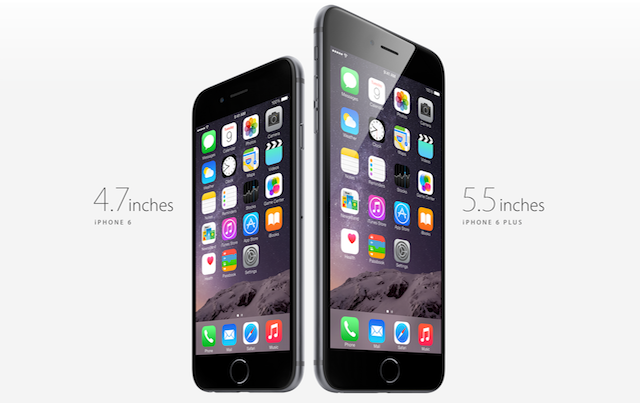
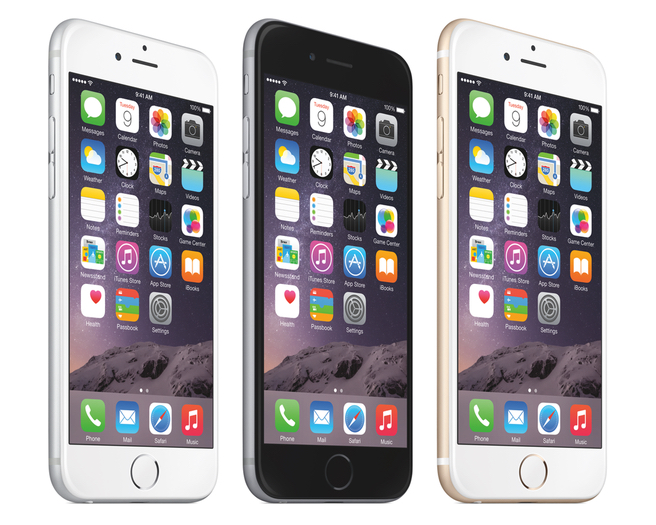 I had the iPhone 6 for a while, and I thought it was a perfect phone. Great size (4.7 inch screen). Great camera. Decent battery life. If you like Apple, the iPhone 6 is a great choice. I am currently using an iPhone 6 Plus, but that 5.5 inch screen is just too big for me! Apple announced their new iPhones on September 9th. As with all “S” models, the form factor has not changed. This phone looks the same as the previous models. They have vastly improved the camera with 12MP, and optical image stabilization (helps shaky hands take clear pics). They’ve added a 5MP front camera, and are using the screen itself to make a “flash” for selfies. the screen itself has been improved with the use of “3D Touch” which makes it so you can do different things when you press the screen versus just tap the screen (this tech is based on the Apple Watch screen). Overall it’s a good “off-year” for the iPhone, but if you want major changes, wait another year for iPhone 7.
iPhone 6S Plus Review – Tech Radar
Samsung Galaxy S6/Galaxy S6 Edge/Galaxy S6 Edge Plus
This has been my primary phone for the past six months. Samsung made a beautiful phone with the Galaxy S6. Metal and glass construction, it feels incredibly similar to the iPhone (almost too similar). With a 5.1 screen, it’s big but not too big. The operating system is intuitive, and camera is great. I particularly like the “wide-screen selfie” feature and that you can snap a photo by tapping the flash on the back of the phone (less cumbersome than finding the button on the screen. The Samsung Galaxy S6 also offers turbo charge (15min gets you 40% battery) and wireless charging, which is pretty cool. If you aren’t into Apple, the Galaxy S6 is definitely the way to go at the moment.
If you want something different, Samsung is also offering the Galaxy S6 Edge, which has curved edges. My experience with that device proved to me that the edges look cool but offer little in enhancement, and only make it harder to hold. If you want something really big, the Samsung Galaxy S6 Edge PLUS just release, with a 5.5 screen size. Again it looks really cool, but for me is a pain to use, especially with the huge size.
Samsung Galaxy S6 Review – CNET
Samsung Galaxy S6 Edge Review – Digital Trends
Samsung Galaxy S6 Edge + Review – Phandroid
LG G4
 I hated the LG G3, so I wasn’t even going to include it, but a buddy let me play around with the G4 the other week, and my opinion suddenly changed. The LG G4 is a very different type of phone. It features a 5.5 inch screen, but the phone size is pretty small, all things considered. LG definitely took a card out of Motorola’s deck, in terms of making sure big screens doesn’t mean gigantic phones. The LG G4 features a leather back, in varying textures and colors. It feels great! The other odd thing about LG is that they moved the power and volume buttons to the back of the phone. It seems like an odd choice, but I am starting to see the logic of it, and it makes those edges super thin. All they need is a fingerprint scanner on the back, but that’s not here yet (maybe G5 next year!)
HTC One (M9) and (M8)
Finally we come to HTC. I used the HTC One (M8) for six months last year (that’s pretty much the longest I use a device). I loved the feel of the phone (all metal). The screen was brilliantly bright, and the device was lightning fast. But my big beef was related to the extra space used for the company logo on the front (my opinions can be seen here). You’d think they’d finally fix that with the M9, but that was not the case.
The HTC One (M9) is a minor improvement over the previous model. The camera was switched from 4 ultra pixels (which no one ever understood, including me), to 16 mega pixels. But lots of pixels doesn’t mean a better camera, and HTC has lost it’s way a bit here. Still, when compared to ANY mid-tier smartphone the HTC One (M9) and (M8) are heads are shoulders above in terms of picture quality. So as I knock on the camera, it still has a place among these top-tier phones. The HTC One (M9) also updated their operating system to adapt based on your current location. This functionality can be achieved through “launcher applications” like “Everything Me“, but HTC has it built it, which is actually a pretty cool thing. I imagine other smartphone makers will be looking at options like this in future models.
HTC One (M8) Review – Engadget
 A Note on Phablets
Oh those giant smartphones!! The line between phone and phablet is roughly 5.5 inches. You have a few options. We’ve already talked about the iPhone 6S Plus, Galaxy S6 Edge Plus, and LG G4. Another popular phablet worth considering, if you’re in the market for a big phone is the recently release Galaxy Note 5. They took the materials that built the Galaxy S6 line of phones (metal and glass) and blasted it to 5.7 inches. As always with the Note line, there is a stylus. This time around they have focused as much on the stylus as the phone, and my experience with it was great. In my opinion, any phone over 5.5 inches should have a stylus, so Samsung is leading the pack there.
Samsung Galaxy Note 5 Review – The Verge
The Whole Cup Summed Up
If you’re in the market for a new smartphone, you’ve got tons of options. Hopefully this list is helpful in sorting through what makes these high-tier models different from each other. In the end, there’s no right answer for everyone. Some live and die for iPhone; while others believe Android is the only way to go. Some say 5.5 inch Phablets are ridiculously large, but at the same time, I know many people who wouldn’t want any other size. So head to your nearest carrier and get these phones in your hands before you drop the coin, and I’m sure you’ll find something that works great for you!
Happy Smartphone Shopping!


Have a Year of T(ech) – One Year Anniversary

 This week a milestone was achieved. The blog “Have a Cup of T(ech)” reached the one year mark. That’s no small feat when you’re a one man shop, in a part-time capacity. I’ve had a great year checking out different technology for casual consumers. Over the year we’ve looked at Apple and Android smartphones and tablets. We went on the road to Walt Disney World, exploring the cool apps that make navigating the massive parks not only easy but fun! Reviews of “apps of note” from everything from pocket games like Scibblenauts to Smart News Readers like the Yahoo News Digest.
 We reviewed our first “smart home” device with the Echo Smartspeaker, and played around with Virtual Reality with Gear VR. We’ve done our best to offer a wide variety of reviews, including the new Kindle Voyage and Beats Studio headphones. Mid-year we had some fun with a review of the “Funny or Die News” application, and more recently we reviewed the HBO Now service (coming soon to Android devices). One particular post had me trashing
the Winbook tablet computer, which garnered the most hits in the year (and I don’t take anything back).
 This past year has seen 44 blog posts, which have been viewed over 5000 times in over 150 countries! I’m so glad that this little operation has been able to reach out so far! And we have no intention of stopping. The first year focused primarily on the blog itself and our twitter handle (@twolumpsoftech). A Flipboard magazine was introduced mid-year, offering another way to keep track of the
consumer tech that is making news. But a few new things are planned for the coming year.
 Coming in Year Two!!
Two Lumps of Tech now has an Instagram account. The focus of that site is to show off new technology IN ACTION. I’m not sure what direction that will take, but I’m excited about the chance to show how the tech works, in addition to continuing to write reviews. A new category is coming as well. “Where It Stands” will be revisits to products that have been reviewed previously. Too often reviews on the internet are published right when a new product comes out. Sometimes  products that look great initially turn into duds, while at the same time, other products that have a rough launch, find new life in software updates. I want to return to products after initial reviews to share how the tech is holding up, and whether it’s still worth consumer’s consideration. Look for a “Where It Stands” review of the Amazon Fire TV in the coming weeks!
Finally we’ll be adding guest writers in the coming year. I hope to add some new perspectives and get writers with different areas of  interest to give an even broader set of reviews (I can’t keep track of everything that’s going on in tech!). The focus will remain locked on casual consumers though, so don’t worry about this blog becoming another site written for technology geeks. This blog is for everyone. Because technology has the capacity to enhance your life. I believed that when this journey started a year ago, and that thought remains the same. So stay tuned for more First Impressions, Reviews (cup half full/cup half empty), Apps of Note, Tech News, and the occasional HaikuReview.
Thank you to those who have been following the site this past year. I sincerely hope you have found things that were interesting,  informative, and even maybe a little humorous at times. A special thanks to friends and family for providing editing and feedback over the course of the year.
On to year number two!!
Cheers — BC Gordon – Two Lumps of Tech

Update: Gear VR for Galaxy S6 — HEAT PROBLEMS!!!
A Note about Heating Issues:
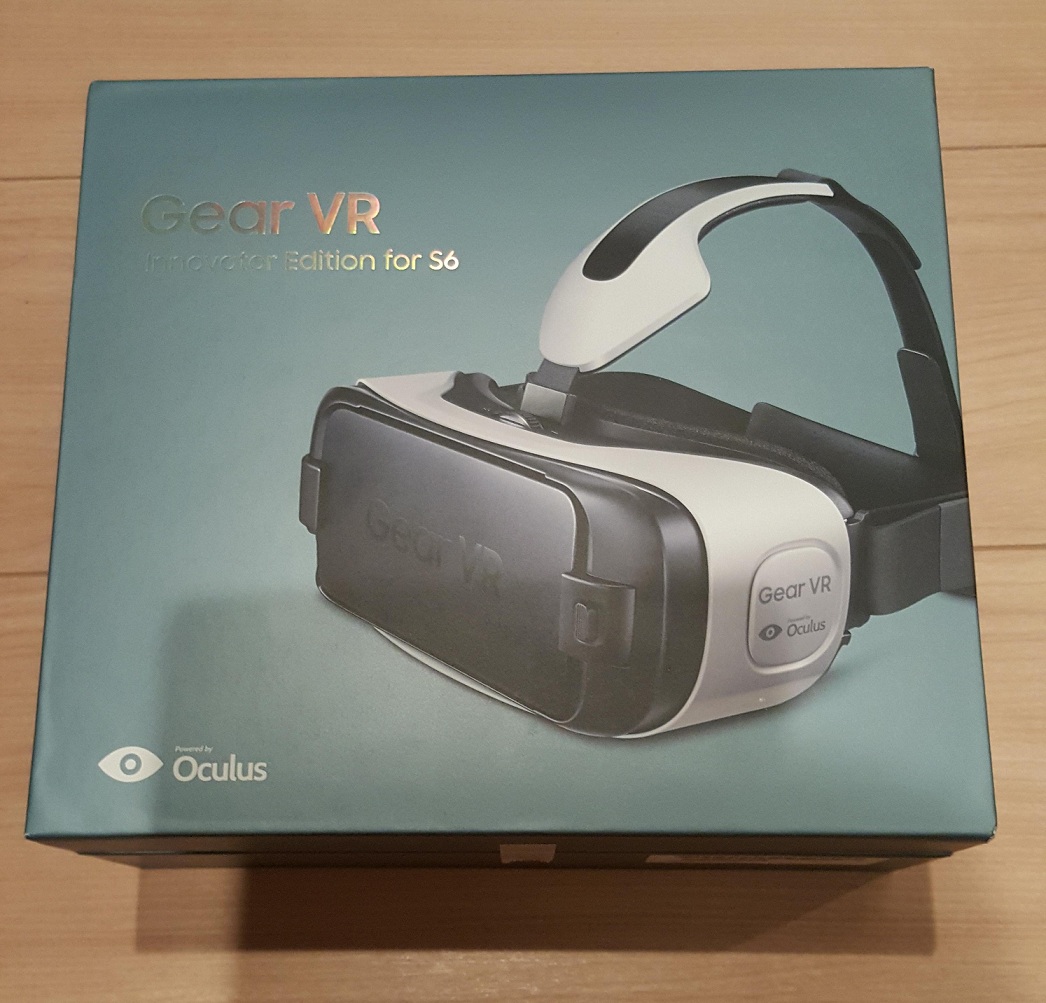
I published a blog last week reviewing the Gear VR for Galaxy S6. I have since returned the device. Bummer! Right?!? Here’s the reason that my time with the Gear VR was so short. It simply heats up the smartphone too quickly. The device has a safety feature that stops allowing VR use when the phone is too hot. I noticed it right away but I thought I’d solved the issue by running a fan directly in the face of the person wearing the headset. But then one weekend nothing seemed to help with the rapid heat issue. I was getting five minutes of use and then heat warnings. I was cooling the phone down with ice packs and trying again, and BOOM, the phone was 100 degrees in five minutes. And that simply cuts the “fun factor” down to zero for me. I see great potential. I don’t take anything back that I’ve written thus far about how amazing this technology is. But part of what is amazing is tied to its weakness. Oculus Rift uses a full computer to power it and manage the software. The Gear VR is trying to do all of that same work with a small smartphone operating system (without an internal fan!). So the tech has some work to do before it’s consumer ready. I’m confident they’ll solve that puzzle, it’s just not there yet. So save your cash for now.

Two Lumps on the Road – the Testing the Apple Watch
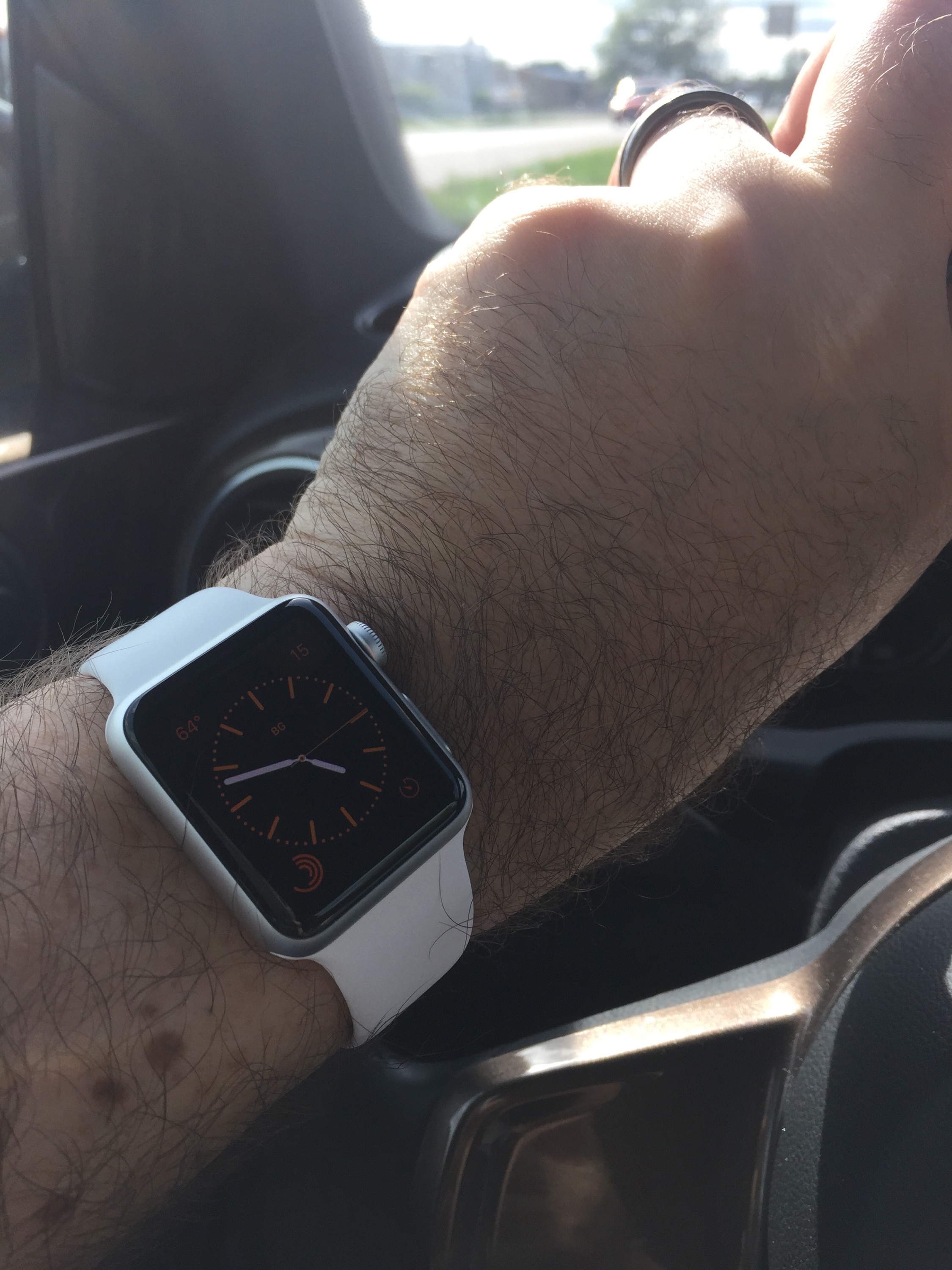 Recently I was handed an Apple Watch to test out. Coincidentally I was heading out of town for a family gathering near Fargo, North Dakota. So I strapped on the watch, synced my iPhone 6, added a bunch of apps, and hit the road. I am currently camped out at one of the rare Dunn Brothers Coffeeshops in Fargo, running through everything the watch can do (or claims that it can at least).
I love wrist tech (my Pebble Time is coming soon!!) but I am skeptical about the Apple Watch. I think it wants to do more than it should. But now my skepticism will be put to the test. Look for a more detailed CONSUMER FOCUSED review later in the week, once I’ve used the watch for a few more days. So far I like it. Not enough to buy one for myself, but enough to be optimistic. Still, I like to be right about my thoughts on tech ; ). So the gloves are coming off!
Stay tuned for more.

First Impressions – HBO Now
When I was a kid every few years we got cable for Christmas. It was usually a six month stint, but it was a dream come true for me. I got the Disney Channel, and Nickelodeon (for NIck at Night primarily), and a hundred other channels to surf. But we never got the premium package, which included that great mystery that was HBO. The cost was too high, and I was too young for a majority of the content anyway.
As an adult I’ve never had cable. I like to say that my cable consists of Netflix and Hulu Plus. Between those two I can watch the majority of the shows I want to with Netflix providing lots of past seasons, and Hulu Plus providing current programming. But I’ve added a third service to my “cable” and that is HBO Now. In March HBO announced that they would begin selling monthly subscriptions that could be accessed via Apple TV and devices running iOS (read iPhone, iPad, and newer iPod Touch). After a period of exclusivity, the service will certainly come to Android platforms as well, and smart televisions as well. I signed up on the first day (as of 4/28/15 the first month is still free!), and I haven’t looked back since. So let’s take a quick look at what HBO Now offers.
It has tons of content
 I started by taking in all the offerings. I was a total newbie having never had HBO before. I’ve seen some shows through DVD (i.e. Sopranos, Game of Thrones), but the vast array of options was a total surprise. The service breaks it up into categories including: series, movies, comedy, sports, documentaries, collections, and late night. You can add most of the content to your “watchlist” and I immediately started adding movies I wanted to watch, which included many current films like “The Grand Budapest Hotel”, “Edge of Tomorrow”, and “A Million Ways to Die in the West”. I found several shows that I’d heard a lot about, like “Veep”, “The Comeback” and “Silicon Valley”. There were documentaries that looked interesting, like “The (Dead Mothers) Club” which explores the lives of famous personalities who lost their mothers at young ages. I even found a documentary on David McCullough, one of my favorite biographers. Bottom line, there is tons of stuff that looked interesting, and well worth the $15 monthly charge. And all of that content comes to HBO Now the same day as it broadcasts on HBO itself, so no worrying about Game of Thrones spoilers!
Parental Note: the service offers “parental controls” so you can limit what content kids can access with a passcode. I found plenty of content my kid would enjoy watching, but HBO is well known for plenty of Rated R type stuff (ahem…Game of Thrones). So it’s nice that there is a built in “firewall” of sorts.
It has a slick interface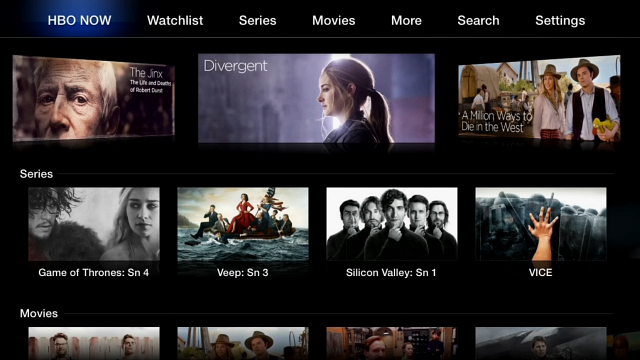
If you have an Apple TV, that’s the best way to watch HBO Now. During Apple’s exclusive period you are stuck with either that or watching on an iPad, iPhone, or iPod Touch. I’ve watched a bit on an iPad MIni, and it works fine for that size screen. Though Game of Thrones isn’t quite as epic on an eight inch screen. The Apple TV interface is very similar to the other video streamers on the device, like Netflix, Hulu Plus, and Crackle. Easy navigation, great summaries of shows. The majority of the movies offer the preview right on the selection screen, which is a great feature (missing from Netflix).
For Your Consideration: Last Week Tonight with John Oliver
 When John Oliver took over the Daily Show with John Stewart in the Summer of 2014 it was awesome. I kind of liked him more than Stewart. When he left the show shortly after Stewart’s return I was bummed out. The fact that he then started a weekly news show on HBO was a twist of the knife. So when I realized I’d finally get to watch his program “Last Week Tonight” with my HBO Now subscription I was thrilled. And the show lived up to the hopes I had in it. It is unlike anything I have ever seen. While it feels a bit like The Daily Show (leans pretty heavy to the left politically), it also feels like an irreverent 60 minutes. Oliver spends most of the program digging into specific issues, using good old fashion investigative journalism. Sure he swears like a sailor throughout, but he makes amazing points, and really makes you think (even if you don’t agree with him all the time). It’s a great show, and well worth the cost of the subscription. For me, everything after John Oliver’s program is just icing on the cake.
The Whole Cup Summed Up
 The dreams of my ten year old self have been fulfilled! Every time we start up a show and the static sound followed by the HBO icon appears I get a little excited. The grip of the cable companies on the premium content offered by HBO is starting to loosen. Or rather HBO is breaking free of their grasp.
For the time being you will need an Apple product to access HBO Now and an Apple TV to get the service off of your mobile device and onto the big screen. So if you don’t have those options, be patient for the service will certainly come to devices like Roku, Chromecast, and maybe even the Amazon Fire TV (they already have a deal to show older content after all). That’s not to mention an app for Android smartphones and Tablets. It should be mentioned that you can watch HBO Now on a web browser if that’s your only option, but that is certainly not optimal.
If you get in soon you can try the service out for 30 days at no cost, so what do you have to lose! And $15 is a pretty decent deal, since renting just 3-4 movies (which I found on HBO Now) would cost at least that much. So grab this link and give it a go.

Alexa, turn on the living room lights! – The Echo Smartspeaker Keeps Getting Smarter

I’ve had the Echo Smartspeaker (containing the digital assistant named Alexa) since December 2014, and it’s been a fun ride as Amazon keeps pushing out new updates. In January the device received an update to push any music app running on your phone to the speaker via Bluetooth. That was the clincher for me, and now the Echo Speaker is used almost constantly when I’m home. But Amazon wasn’t done yet. Today the company announced a new update, which is the ability to pair Smart Home Technology. This let’s you control those devices with your voice. So what exactly does that mean? For now, it’s all about the light bulbs.
 I’ve been anxious to get some WIFI enabled light bulbs. But they are pricey. A basic setup will require you to drop $100 on the low end, and several hundred isn’t out of the question. So my light bulbs remain “dumb” for now. A smart light bulb kit comes with a WIFI Link, which you plug into the wall and a couple light bulbs (you can always add more). Before Echo got involved, you controlled those bulbs with your smartphone, which is still pretty cool! But now you can pair those bulbs with the Echo Smartspeaker and simply tell the lights to turn on. Now, you gotta admit, that’s pretty awesome! I have a couple lamps that, based on their location, are a pain to turn on, and my dream of just telling them to turn on and off is close to becoming reality.
But the potential goes way beyond just light bulbs. The Echo Smartspeaker, since the very beginning, has been a signpost in tech showing us where smart technology in the home can take us. With smart device connections, one day you could tell the coffee maker to start in the morning, the doors to lock before going to bed, and the dishwasher to start in the middle of the night. Even Crock Pots are getting connected! There are so many possibilities, and the Echo Smartspeaker is just the first step in that direction.
Of course all first generation devices have their glitches and the speaker remains pricey at $200 (by invite only). Prime members still get a discount though at $150 (again, by invite only). If you want an invite click HERE.
I’ve had a lot of gadgets, but the best ones have always been those that integrate easily into my daily life, enhancing it and making things easier. Now I can ask for a news update any time of the day, I can ask for the current traffic report before hitting the road, and I can tell it to play any song in my music library and it does it, consistently well. And hopefully soon I’ll be turning the lights on and off with my voice! It’s exciting to see what this thing will do next!
Stay tuned.
HaikuReview – HTC One M9
Metal-wrapped body
Same as the one from last year,
But still beautiful.
Stainless steel is slick,
Probably ought to buy a case
Or get insurance.
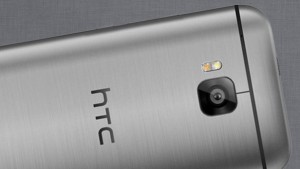
Last year’s five-inch screen
Same look, same feel, same smartphone?
Almost, but not quite.
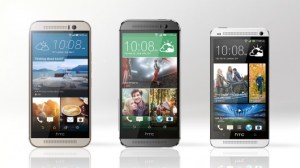
With last year’s model
Ultra-Pixel camera
Was not a big hit.
So now it is gone.
Now twenty MegaPixel,
For amazing shots.
Camera on front
Uses those Ultra-Pixels
For those selfies (sigh).
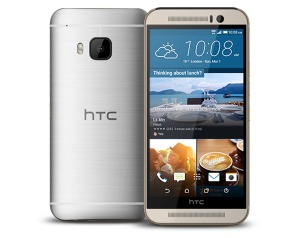
User interface
Is much more intuitive,
Using location.
When you are at work
The phone will respond to it.
Stop Candy Crush Now!
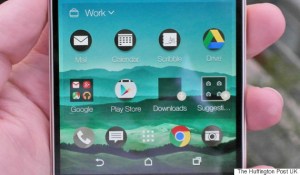
When you are at home
Everything auto-updates.
Candy Crush away!
Phone is still too big.
Wasted space due to logo
Makes one-hand use tough.
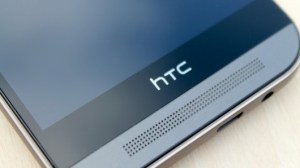
A decent upgrade,
Although Samsung got more press
It’s worth Checking Out.

 Have a Cup of T(ech)
